







Customers2 of 7
Puppy Applications
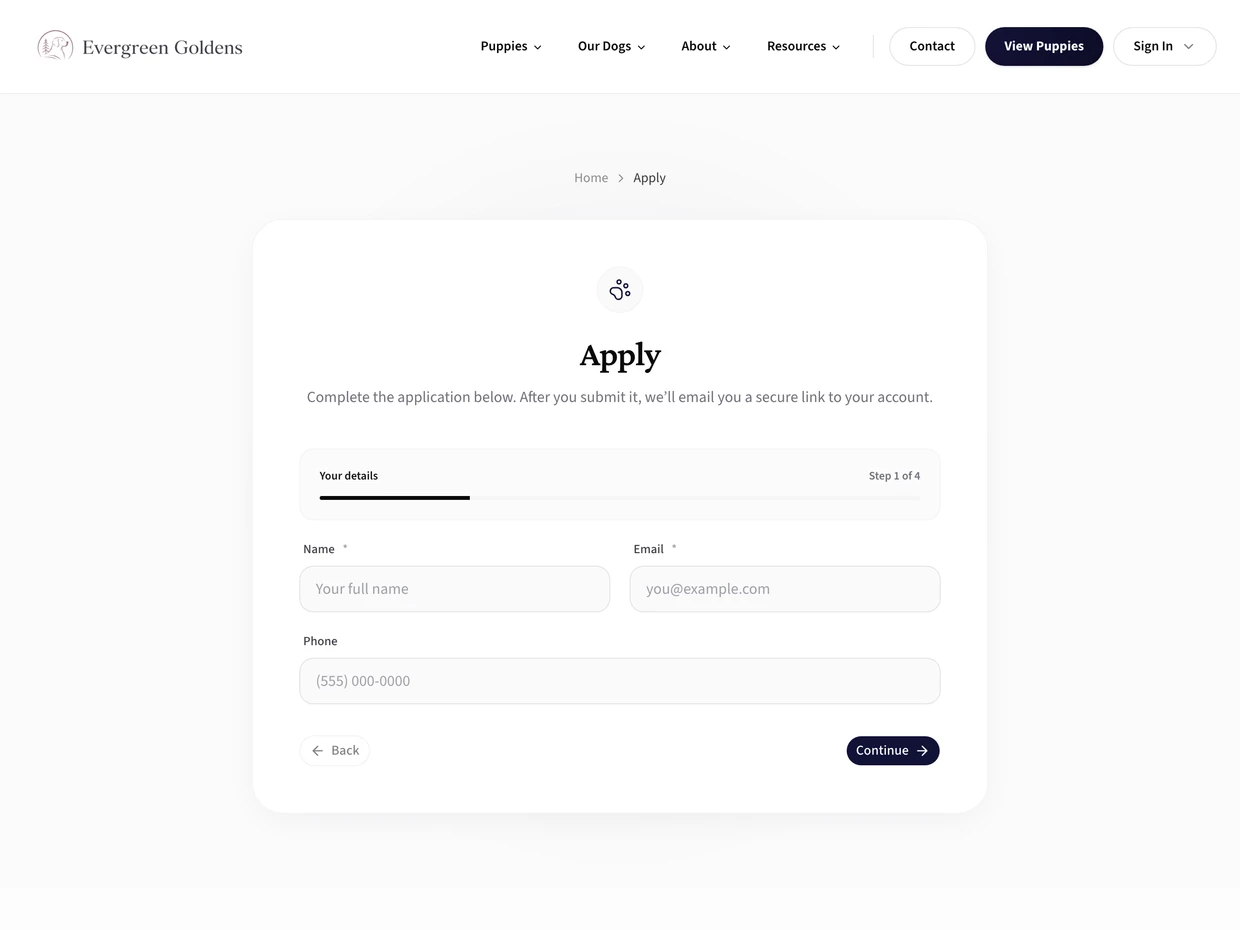
Families fill out your application on your website, with your questions and your standards, so by the time you talk to them, you already know if they're a good fit.
- Included in every plan
- 30-day trial for new customers
- No add-ons to buy
Try it. Change an answer on the website, then approve or decline in the dashboard.
- Your QuestionsHome, household, experience, timing. Start from the ready-made puppy application and change any question.
- Four Short StepsTheir details, what they hope for, your questions, then a look over everything before they send it.
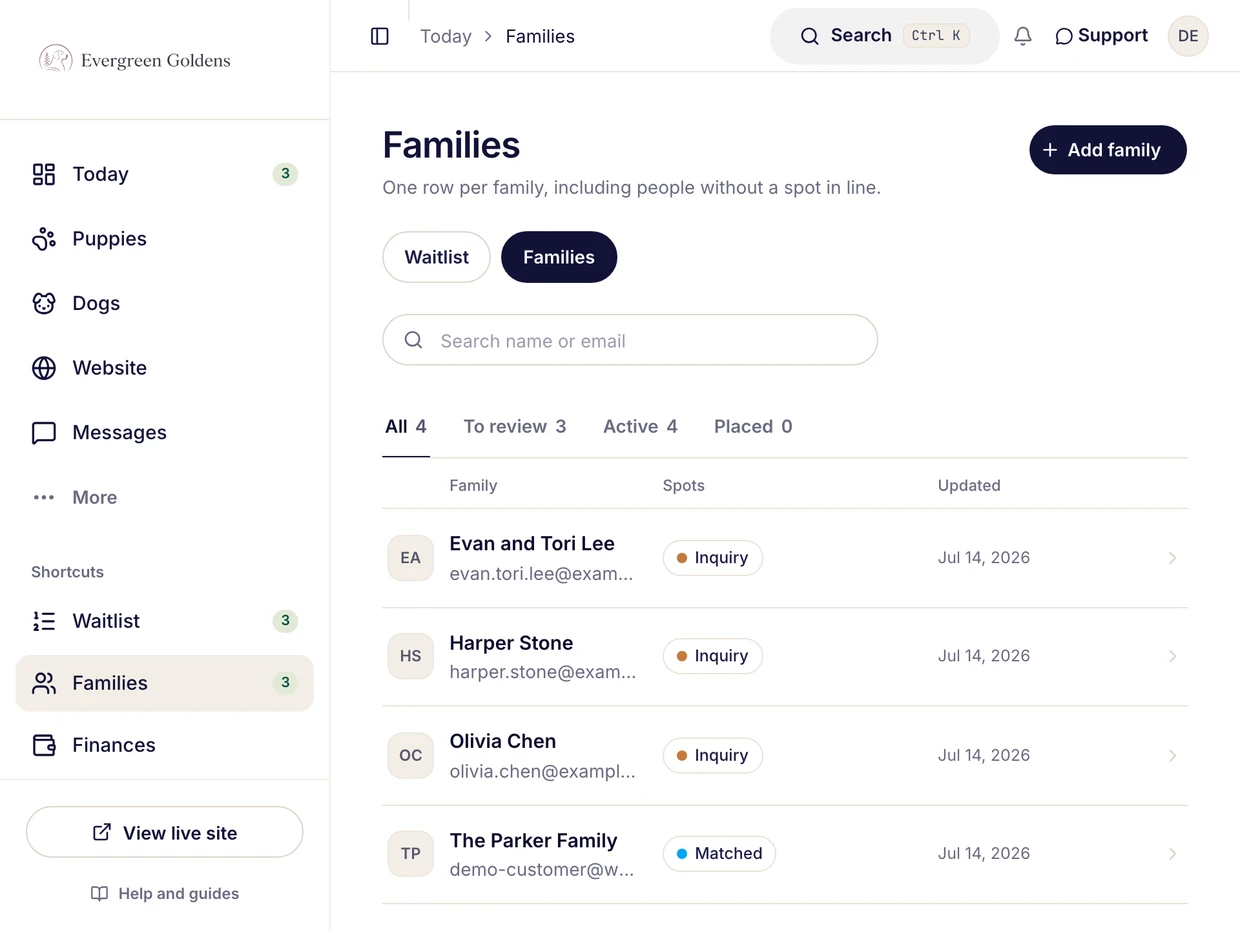
- Answers on Their RecordEvery answer is saved to the family, beside their messages and payments. A follow-up question shows only if it applied to them.
- Approve or DeclineOne click each. The family gets an email about your decision, and you can add a note in your own words.
- Then Into the LineAn approved family goes from Inquiry to Waiting and keeps their place. You choose whether families join right away or only after you approve them.
Also here: earlier versions when a family revises their application, a photo of the applicant if you ask for one, and more forms to send them later.

Why breeders use it
Know the Family Before the First Call
An application on your own website with your questions, follow-ups that show only when they apply, and every answer saved to the family’s record.
Your Questions, Your Standards
Ask about home, household, experience and timing, or anything else your program cares about. You are not stuck with someone else’s form.
Shorter for the Family
A question can appear only when an earlier answer makes it relevant, so nobody answers what does not apply to them.
One Page to Decide
Their answers sit on the same record as their messages, deposit and place in line. Deciding means reading one page, not searching your inbox.
Three simple steps
How It Works
Build It Once
Start from the application template and tailor the questions.
Families Apply on Your Site
The form lives on your website and feeds your waitlist.
Review and Decide
Read their answers on the family’s record, then approve or decline. They get an email either way.
Included in every plan
What You Can Do With It
- Start from a ready-made puppy application and change any question
- Show a follow-up question only when an earlier answer calls for it
- Ask for a photo, a file or a signature along with the answers
- Read every answer on the family’s record
- Approve or decline with an email to the family and your own note
- Choose whether families join the line right away, after approval or after a deposit
- See earlier versions when a family updates their answers
Good to know
Questions Breeders Ask
Something we did not cover?Write to us. A person replies within one business day.
Contact UsYes. Fields can show or hide based on earlier answers, with AND/OR conditions when you need them.
No. They fill in the form on your website, and afterwards they are emailed a secure link to their account.
They get an email about your decision, and you can add a note in your own words. Approving does not assign a puppy or charge anything.
Yes. Reopen the application and it goes back under review. Their messages and payments are kept.
Better together