







Website6 of 9
Built-In Blog
Write an update once, like "puppies turned four weeks old today", and it appears on your website and gets shared to your Facebook Page for you.
- Included in every plan
- 30-day trial for new customers
- No add-ons to buy
Blog postDraft

Title
The first 72 hours after your puppy comes home
 Three confidence-building routines we use with every litter
 Why we talk so much about health testing
 How temperament notes help us match puppies to families
Try it. Change the summary, then press Publish.
- Write It OnceA title, a short summary, a cover photo and the post itself, with headings, lists, quotes and links.
- A Page on Your Own SiteEach post gets its own address on your blog and a line in your sitemap, so search engines can find it.
- Shared for YouThe summary and cover photo go to your connected Facebook Page, and to Instagram if you link it.
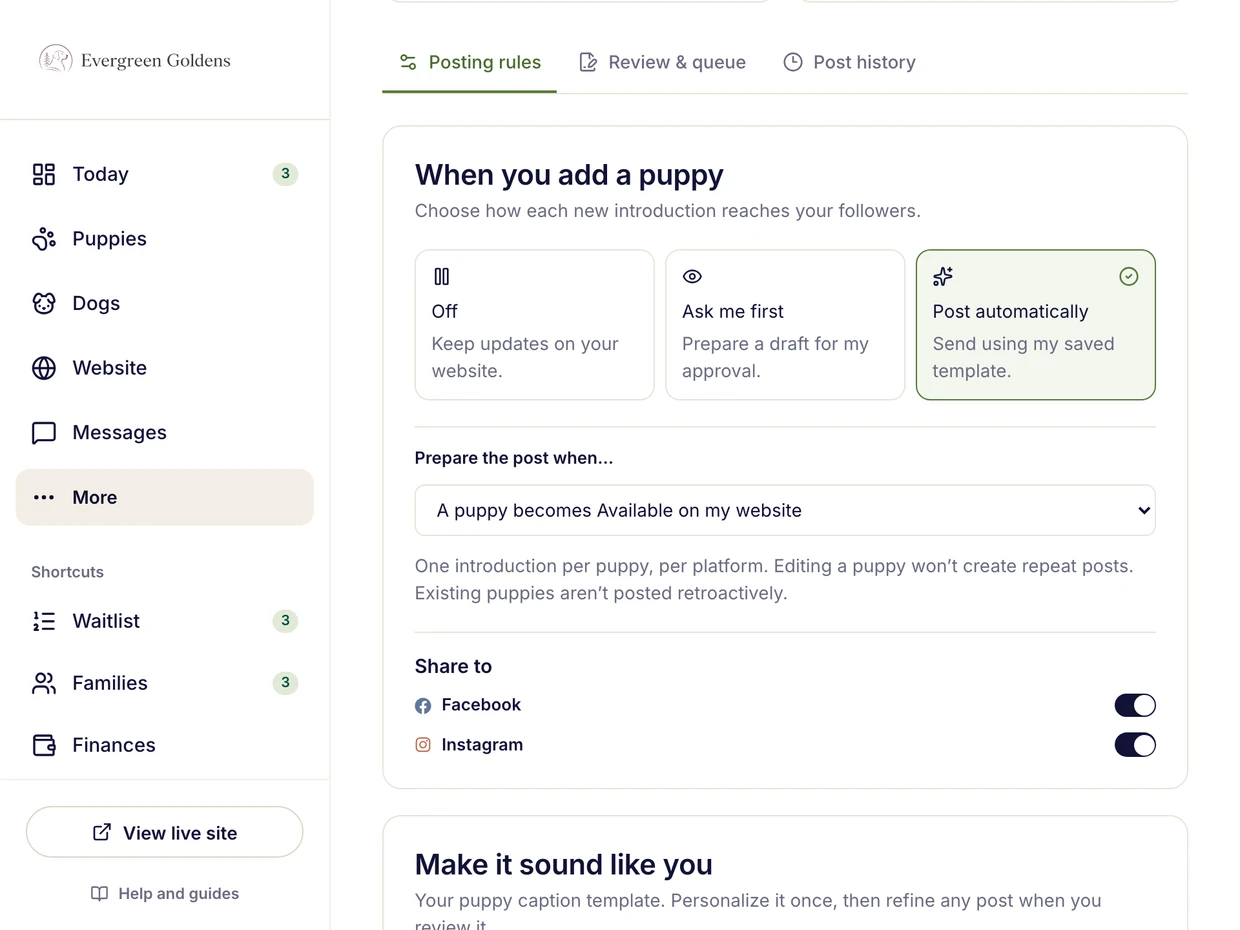
- You Decide HowPost automatically, have a draft wait for your approval, or keep updates on your website only.
Also on a post: topics that group related posts, an author with a short bio, and a publish date you choose.

Why breeders use it
Write Once for Your Site and Your Socials
Write litter updates and news on your own blog, and have each post's summary and cover photo shared to your connected Facebook Page.
Your Writing Stays Yours
Updates live on your own site, at your own address, where families can find them later. They do not disappear down a social feed.
No Copying and Pasting
Publish once and the summary and cover photo go to your connected Facebook Page for you, and to Instagram if it is linked.
Each Post Can Be Found
Every post has its own page, title, and description and is listed in your sitemap, so search engines have something to read.
Three simple steps
How It Works
Write the Post
Add a title, a short summary, and a cover photo, then write with headings, lists, quotes, and links.
Hit Publish
The post is on your blog right away, at its own address, and listed in your sitemap.
It Travels
The summary and cover photo go to your connected Facebook Page, and to Instagram if you have linked it.
Included in every plan
What You Can Do With It
Built-In Blog is part of every Whelpify plan. There is no add-on to buy.

- Write updates and news with headings, lists, quotes, and links
- Add a cover photo and a short summary to each post
- Publish each post at its own address on your site
- Share the summary and cover photo to Facebook and Instagram
- Choose whether posts share automatically, wait for your approval, or stay on your site
- Tag posts with topics so readers find related ones
- Save drafts, and unpublish a post whenever you like
Good to know
Questions Breeders Ask
Something we did not cover?Write to us. A person replies within one business day.
Contact UsBy default, yes. The first time a post is published, its summary and cover photo go to your connected Facebook Page, and to Instagram if it is linked. You can change that to Ask me first, which holds a draft for your approval, or turn it off and keep updates on your website.
Each post is a real page on your site with its own title and description, listed in your sitemap. That gives search engines something to read. How a post ranks is up to them.
No. Posts publish to your site either way. Sharing only happens once you have connected a Facebook Page.
Each post has one cover photo, shown at the top of the post and in your blog list. Photos cannot be placed inside the body of a post.
Yes. Save it as a draft and publish when you are ready. You can also unpublish a post later.
Better together