- Docs
- Your website
- Writing blog posts
Writing blog posts
Write litter announcements, updates, and puppy advice as blog posts, each one a page families and Google can find.
Updated September 2, 2026
On this page
What this is for
Blog posts are the easiest way to keep your site alive between litters. A post can be a litter announcement, a go-home day recap, a training tip, or a note about your health testing. Each published post becomes its own page that families can share and search engines can find.
Where to find it
In the left sidebar, open Website, then Posts.
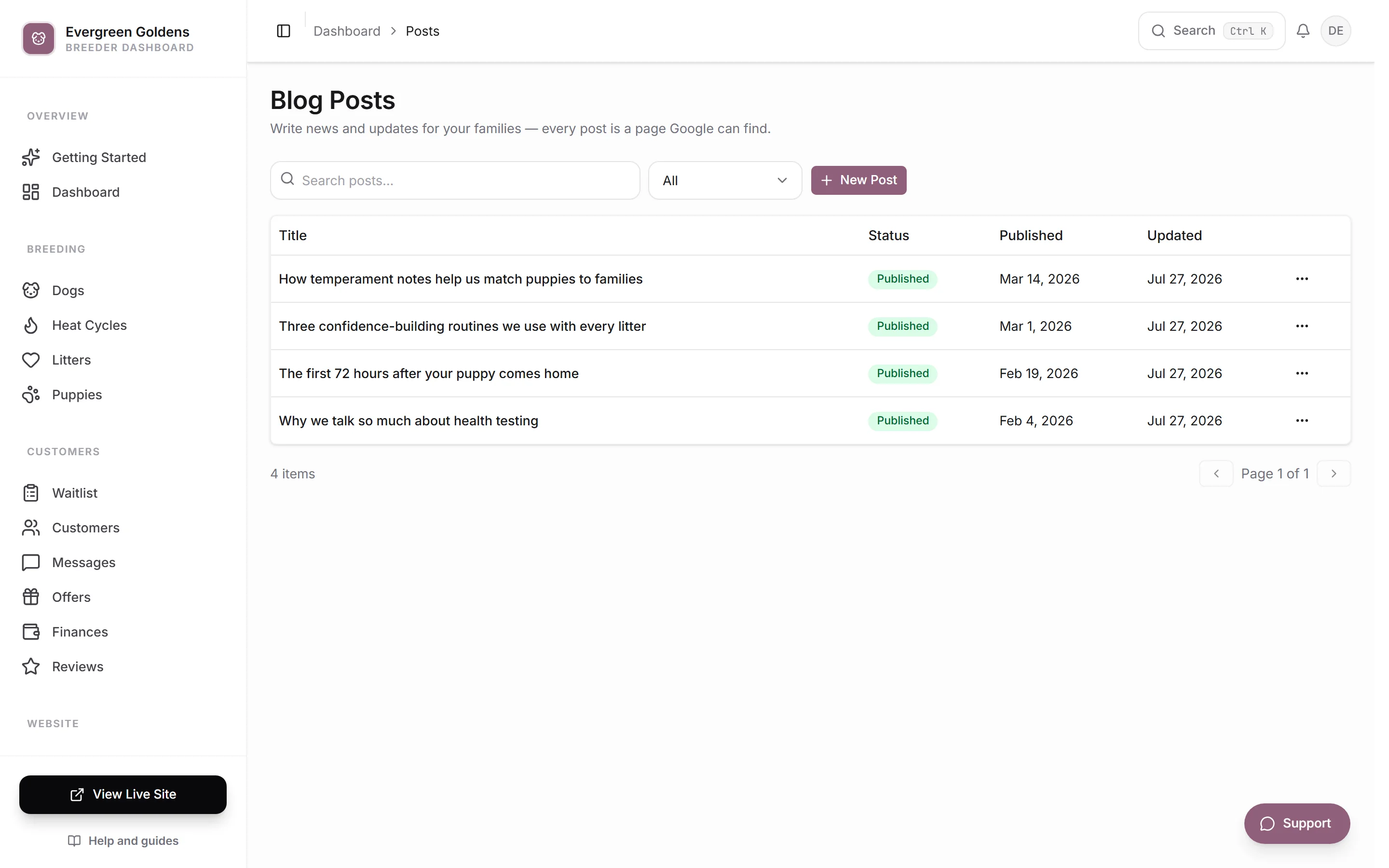
The list shows each post with its status and dates. Search by title, or filter by Draft and Published.
Write a post
- Click New Post.
- Type a Title.
- Leave Web address alone unless you want to change it. It fills in from your title and becomes the last part of the post link, like yoursite.com/blog/spring-litter.
- Write a Short summary. This is the one or two sentences shown in the blog list.
- Set a Publish Date if you want a date other than today.
- Add a Cover Photo. This is the image shown in the blog list and when someone shares the link.
- Write the post in the Content editor.
- Click Save as Draft while you are still working, or Publish when it is ready.
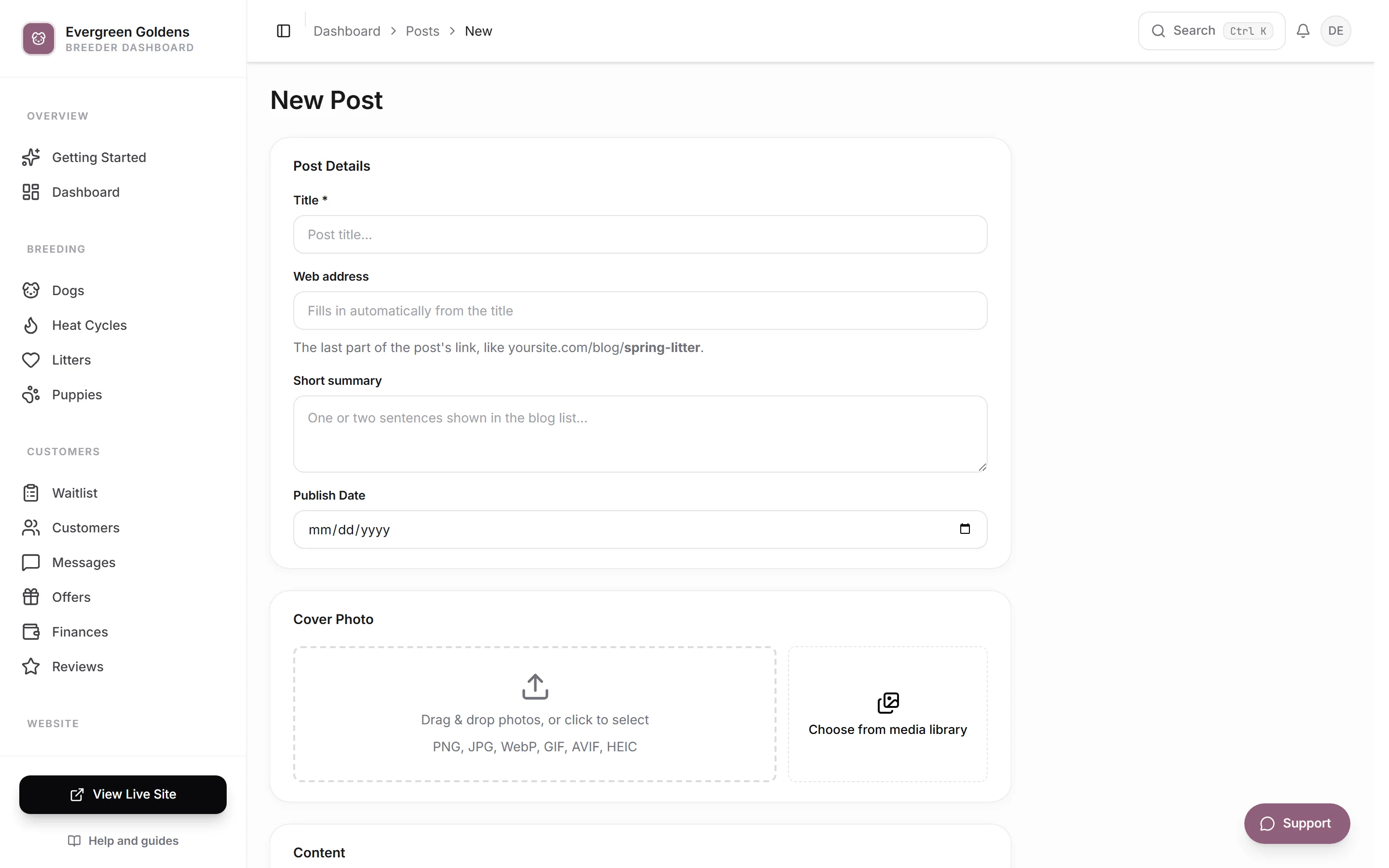
Cancel takes you back to the list without saving.
Edit or unpublish a post
Click the post title in the list to reopen it. Make your edits, then click Publish to update the live post, or Save as Draft to take it off the public blog while you rework it. A draft post stays in your dashboard and disappears from the public blog and your sitemap.
Where posts appear
Published posts show up on your blog page and at their own web address underneath it. They are also added to your sitemap automatically, which is how search engines find them. If your site has a Blog page that is not published, the blog and its posts stay hidden. Check the page under Website, then Pages.
What to write about
- A new litter, from planned to born, with photos.
- Weekly puppy updates for the families already waiting.
- The health testing you do and why it matters.
- What your go-home kit includes.
- Answers to the questions you keep getting by email.
Each of those is a page that answers something a real person typed into a search box, which is exactly what helps your site rank. See getting found on Google.
Common questions
Can I change the web address of a post after publishing?
You can edit the Web address field, but anyone who saved or shared the old link will get an error. Change it only soon after publishing, before the link has traveled.
Where do the photos inside a post come from?
The same place as everywhere else. Upload as you go or reuse an image from your media library.
Do posts show on my home page?
Not automatically. Posts live on your blog page. If you want to point visitors there, add a link in your menu under Website, then Structure.
Should I publish something even if it is short?
Yes. A short, honest update posted regularly does more for your site than a long article you never finish.
Still stuck? Email info@whelpify.com and a real person will help.