- Docs
- Payments and finances
- How payments work in Whelpify
How payments work in Whelpify
Money from your buyers goes to your own Stripe account or straight to you offline, and Whelpify keeps the record.
Updated September 2, 2026
On this page
What this is for
Whelpify keeps track of every deposit, balance, and invoice in your program, but it never holds your money. Payments either run through your own connected Stripe account and land in your bank, or they come to you directly through Zelle, Venmo, a check, or cash, and you mark them paid.
Where to find it
In the left sidebar, under Customers, open Finances.
The two ways to collect
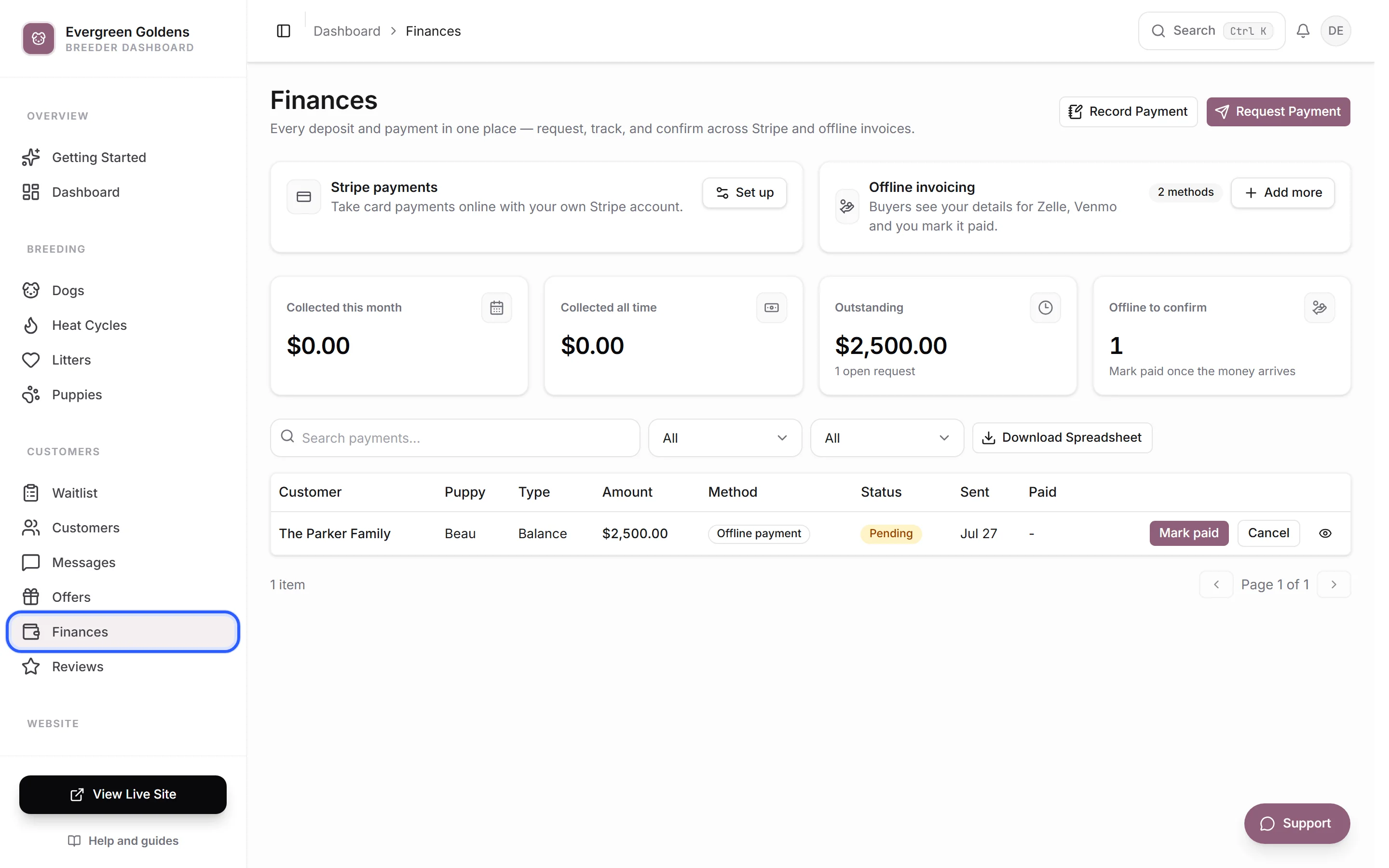
At the top of Finances you have two cards.
Stripe payments is for buyers who want to pay online by card. The charge is created on your own Stripe account, so the money moves from the buyer to your bank without stopping anywhere in between. If you have not set it up yet, click Set up. See Connecting Stripe to get paid.
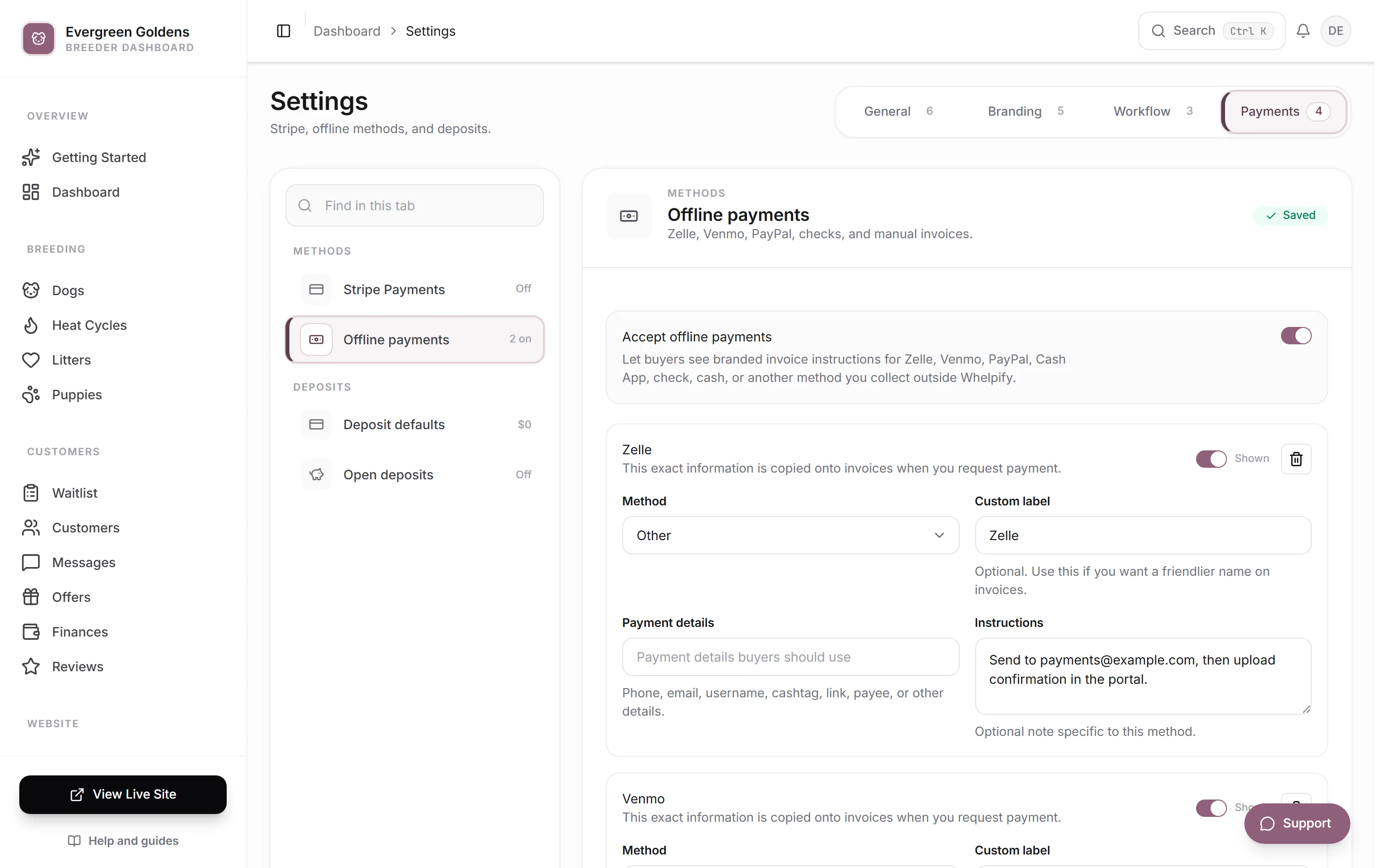
Offline invoicing is for money you collect yourself. You save your Zelle, Venmo, PayPal, Cash App, bank transfer, check, or cash details once, and Whelpify prints them on a branded invoice the buyer can see. The money never touches Whelpify. When it arrives, you click Mark paid.
You save those details under Settings, then the Payments tab, then Offline payments.
You can have both switched on and pick which one to use each time you ask for money.
What a payment request is
A payment request is a single ask for a specific amount from a specific person. When you create one, the customer gets an email and sees the request in their account on your site right away. If it is a Stripe request, they can pay by card from there. If it is an offline request, they see your payment details and instructions instead.
Every request keeps its own record: who it is for, which puppy, how much, which method, and when it was paid.
The numbers at the top
Four tiles summarize your program.
- Collected this month counts every payment marked paid since the first of the month.
- Collected all time counts every paid request in your account.
- Outstanding adds up requests that are still waiting, with the number of open requests below it.
- Offline to confirm counts offline requests where you are waiting on the money to land.
Reading the payments table
The table lists Customer, Puppy, Type, Amount, Method, Status, Sent, and Paid. Search by name, and use the Status and Method filters to narrow the list.
Types you will see are Deposit, Balance, Full Payment, Open Deposit for a standing deposit not tied to a puppy, and Payment for anything else.
Statuses run Pending while you are waiting, Processing while a card clears, Paid once the money is in, and Failed or Cancelled if it did not go through.
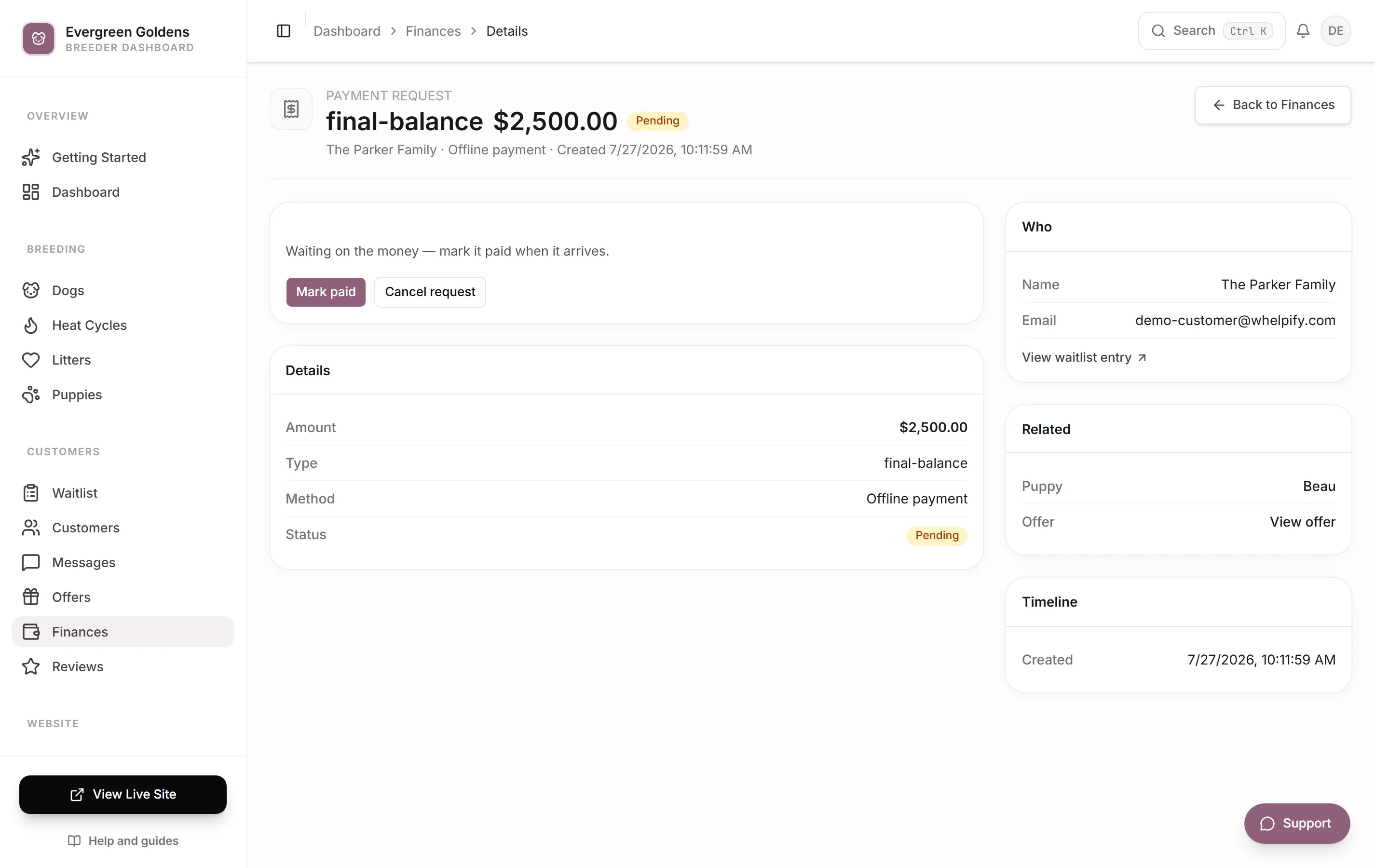
Click any row to open the full record, where you can see the timeline, the linked puppy and offer, and any note you added.
Common questions
Does Whelpify ever hold my money?
No. Card payments are created on your own Stripe account and pay out to the bank account you gave Stripe. Offline payments go from your buyer straight to you.
Do I have to use Stripe?
No. If you only add offline payment methods, Whelpify still sends invoices, tracks what is owed, and reminds you what is unpaid. You just mark each one paid yourself.
Someone paid me outside of a request. Can I still log it?
Yes. Use Record payment on the Finances page. That saves the payment to your books without emailing anyone. See Deposits, balances, and payment requests.
Where do I go to give money back?
Refunds and credits are handled on the offer, not on the payment. See Refunds and customer credits.
Still stuck? Email info@whelpify.com and a real person will help.