- Docs
- Getting started
- Using Whelpify on your phone
Using Whelpify on your phone
The phone layout: a bottom bar for the pages you use most, a quick add button, and the full menu behind one tap.
Updated September 2, 2026
On this page
What this is for
Most of what breeders do in a hurry happens away from a desk: a puppy photo in the whelping box, a payment logged at the door, a message answered in the car. The dashboard rearranges itself on a phone so those things are one tap away.
Where to find it
There is nothing to install. Open the same Whelpify address in your phone browser and sign in. The sidebar is replaced by a bar along the bottom of the screen.
The Bottom Bar
The main tabs are Today, Puppies, Dogs, Website, and Messages. Tap More for everything else.
- Add a puppy from Puppies, or a parent from Dogs.
- Open Website to edit your homepage, manage pages, upload photos, or connect your domain.
- Use Messages for buyer conversations.
Find More Tools
Tap More to open a grouped, searchable menu. Search for Litters, Families, Heat Cycles, or another tool by name. You can pin tools you use often; your choices are saved on your account and follow you between devices.
Get Help
Support is in the top bar. It opens a short guide for the page you are using, with a Message Aidan button if you need a hand. Your reply will arrive by email. You can also browse all guides from there.
Checking your own site on a phone
Most of your buyers will meet you on a phone, so it is worth looking at what they see. Open Website, then View Your Website.
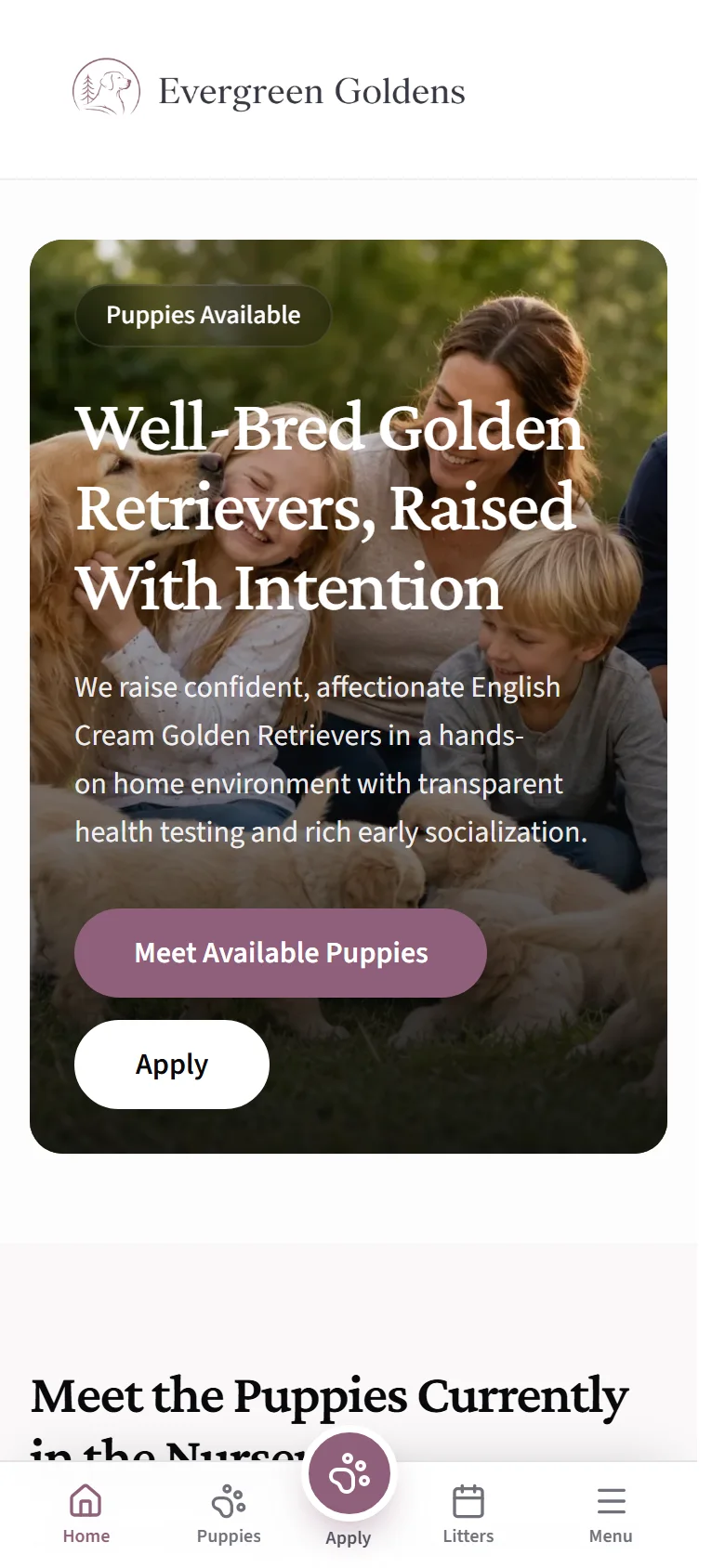
A tour as a buyer sees it walks through the rest of that view.
Common questions
Can I do everything from my phone?
Nearly. Adding dogs, litters, puppies, waitlist families, payments, photos, and replies all work well on a phone. Long jobs like rebuilding a page in the page builder are easier on a bigger screen.
Is there an app to download?
No. Whelpify runs in your phone browser, so you always have the current version and nothing to update.
Why does my bottom bar look different from a screenshot?
The bar is the same for everyone, but the Menu grid follows how you sell. Kennels that take inquiries only do not see Offers.
Where did the sidebar go?
Use the bottom tabs and More on small screens. On a tablet held wide, or any larger screen, the sidebar comes back.
Still stuck? Email info@whelpify.com and a real person will help.