- Docs
- What your buyers see
- Paying a deposit or balance
Paying a deposit or balance
What a buyer sees when you ask for money: the card form, the offline instructions, credits, and the emails that go with them.
Updated September 2, 2026
On this page
What this is for
When you ask a family for a deposit or a final balance, they pay it on your website, in their own account. Nobody is sent off to a third-party checkout with someone else's branding. This is what that looks like from their side, so you can talk them through it on the phone.
Where to find it
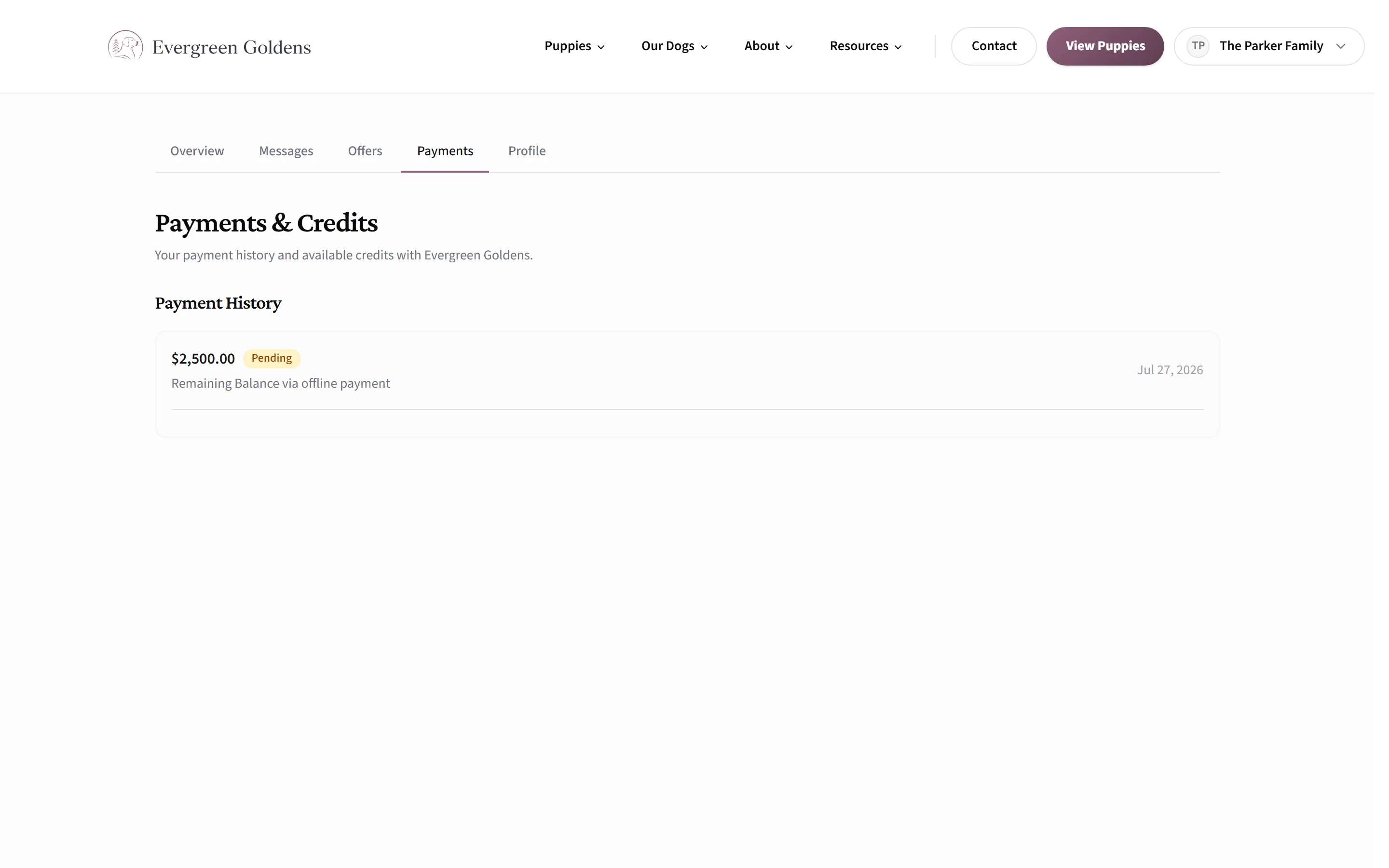
Buyers open the Payments tab inside their account on your site. A payment that is due also shows on their Overview tab right after they accept a puppy offer, so they do not have to go hunting.
When a payment shows up for them
- They accepted a reservation offer that has a deposit attached.
- You created a payment request from your dashboard. It can be a deposit, a remaining balance, a full payment, or a one-off invoice. See deposits, balances, and payment requests.
- You turned on open deposits, in which case their Payments tab carries a card headed Reserve your spot with a deposit that is not tied to any one puppy.
Paying by card
This is what they see when you have connected Stripe.
- They sign in and open Payments.
- A panel headed Pay Deposit (or Pay Balance, or Pay in Full) shows the amount due.
- They enter card details in the payment box. Card, and whatever else Stripe offers their device, appear as tabs.
- Your deposit policy shows in a small box headed Deposit policy, right above the button, if you have written one.
- They click the pay button, which repeats the amount, and land back on your site with a confirmation.
- The payment appears in Payment History as Processing, then Succeeded.
The charge runs on your own Stripe account, so the business name you set in Stripe is what appears on their card statement, and the money is paid out to you on your Stripe schedule. Whelpify never holds it.
Paying offline
If you take Zelle, Venmo, PayPal, Cash App, bank transfer, check, or cash, they see a panel headed Offline payment instead. It shows the amount, then one block per method you set up with your handle and any instructions you wrote, plus your memo underneath. The panel tells them to send payment using one of the methods listed and that you will mark it paid once it arrives.
Nothing is automatic here. You mark it paid from your dashboard, and only then does their account update.
Credits
If you refunded a deposit as a credit, their Payments tab shows an Active Credits card with the remaining amount, whether it is good for any puppy or any future litter, and an expiry date if you set one. Credits also show on their Overview.
The emails that go with it
All of these are sent under your kennel name, and replies go to the contact email in your site settings.
- Payment request, when you ask for money. It includes the amount and either a Pay now button or your written payment instructions.
- Deposit reminder, about a day later if nothing has arrived. This one is off until you turn it on.
- Payment receipt, once a card payment succeeds or you mark an offline payment paid.
- Card payment failed, if Stripe reports a decline. It tells them their reservation is still held while they sort it out.
You control all of them from the customer emails control center.
Common questions
Does a buyer need an account to pay?
Yes. They must be signed in on your site, because the payment is attached to their record. If they cannot get in, the customer portal covers the email sign-in link.
Will they get a receipt?
Whelpify sends a payment receipt email from your kennel unless you have switched that email off. Stripe may also send its own receipt if you enabled successful-payment emails inside your Stripe account.
Can they pay part of an amount?
No. Each request is paid in full. If you want to split a price, create separate requests for the deposit and the balance.
What if a payment sits at Processing?
Some payment methods take a little time to settle. The buyer is told not to submit it again, and the status updates itself once the bank confirms.
Still stuck? Email info@whelpify.com and a real person will help.