- Docs
- Your website
- Collecting and publishing reviews
Collecting and publishing reviews
Gather stories from your puppy families, approve the ones you want public, and show them on your website.
Updated September 8, 2026
On this page
- What this is for
- Where to find it
- How families leave a review
- Approve, hide, or reject
- Edit a review or add one yourself
- Bring over reviews from another site
- Show reviews on your site
- Common questions
- Does Whelpify email families asking for a review?
- Can I edit what someone wrote?
- What is the difference between hidden and rejected?
- Can I show quotes without using this screen?
What this is for
Reviews from families you have already placed puppies with do more convincing than anything you can write about yourself. Whelpify collects them on your site, holds each one for your approval, and shows the ones you publish on your reviews page and anywhere you add a reviews section.
Where to find it
In the left sidebar, open Customers, then Reviews.
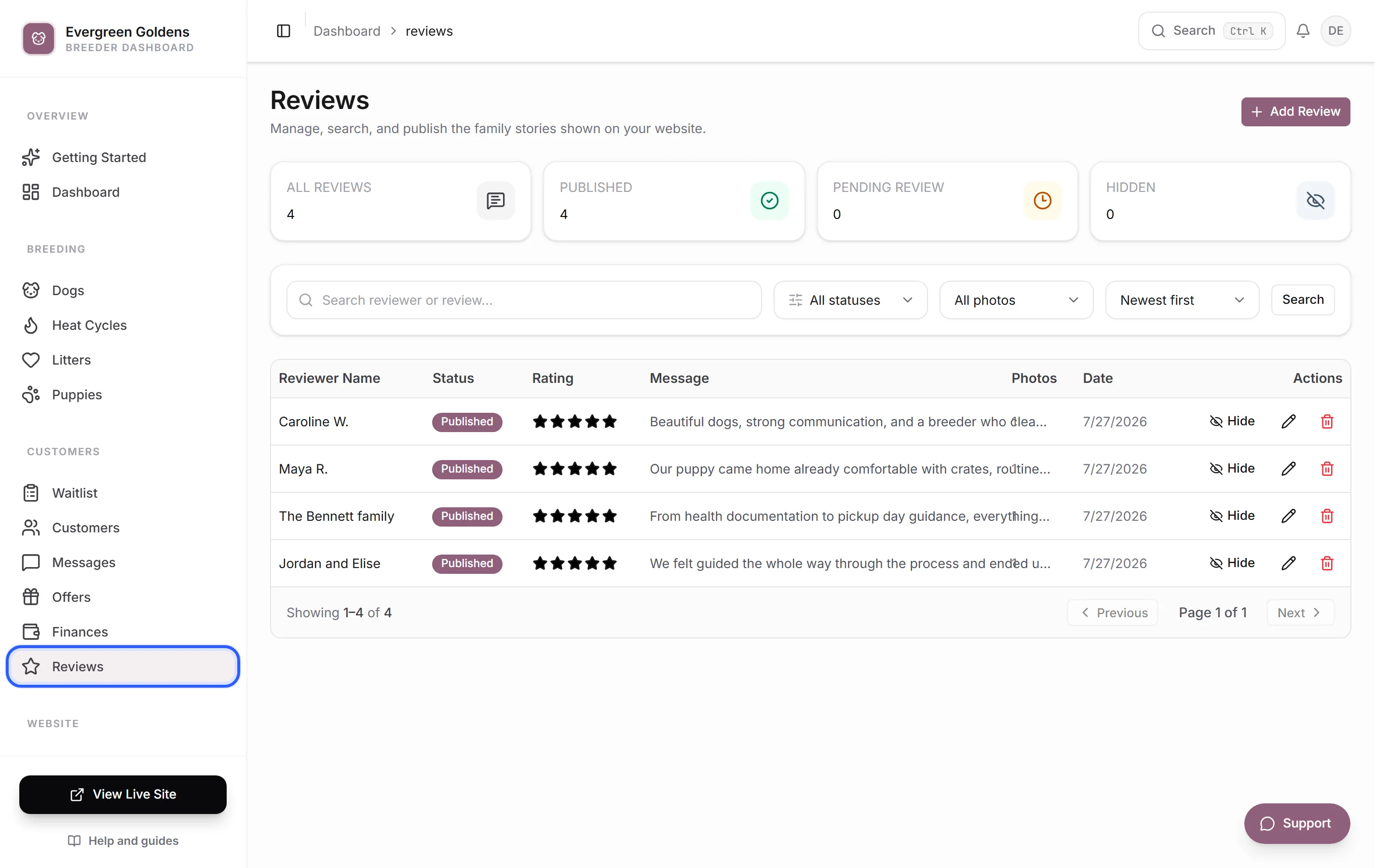
The cards across the top count All reviews, Published, Pending review, and Hidden. Under them, filter the list by status, by whether a review has photos, and by sort order, or search a reviewer name or message.
How families leave a review
Your public reviews page has a Share Your Story button. It opens a short form where a family enters their name, email, a star rating, their story, and optional photos. Every submission arrives here marked Pending, so nothing appears on your site until you approve it.
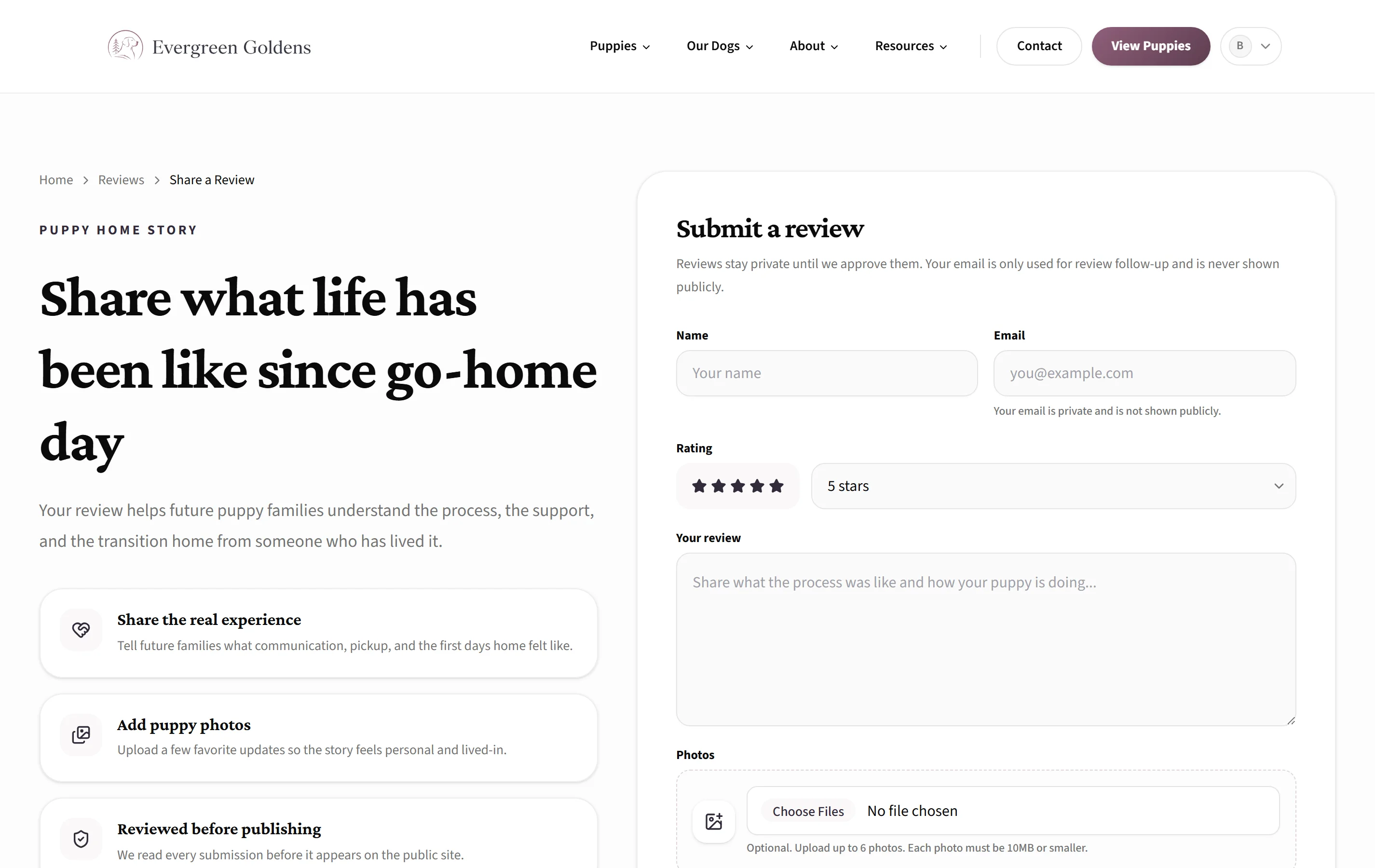
Send that page's link directly to families after go-home day. It is your site address followed by /reviews. To see it the way they will, read a tour of your site as a buyer sees it.
Approve, hide, or reject
Each row in the list has quick actions:
- Publish puts the review on your website.
- Hide takes a published review off the site while keeping it here.
- Reject is for submissions you do not want, such as spam. It appears on reviews that are still pending.
To read the full text before deciding, click the row. The pencil icon opens the same record for editing, and the trash icon deletes it permanently.
Edit a review or add one yourself
Open a review to edit it. You can change the Reviewer Name, Reviewer Email, Rating, Review Date, Status, Message, and Photos, and add Private Notes that only you see.
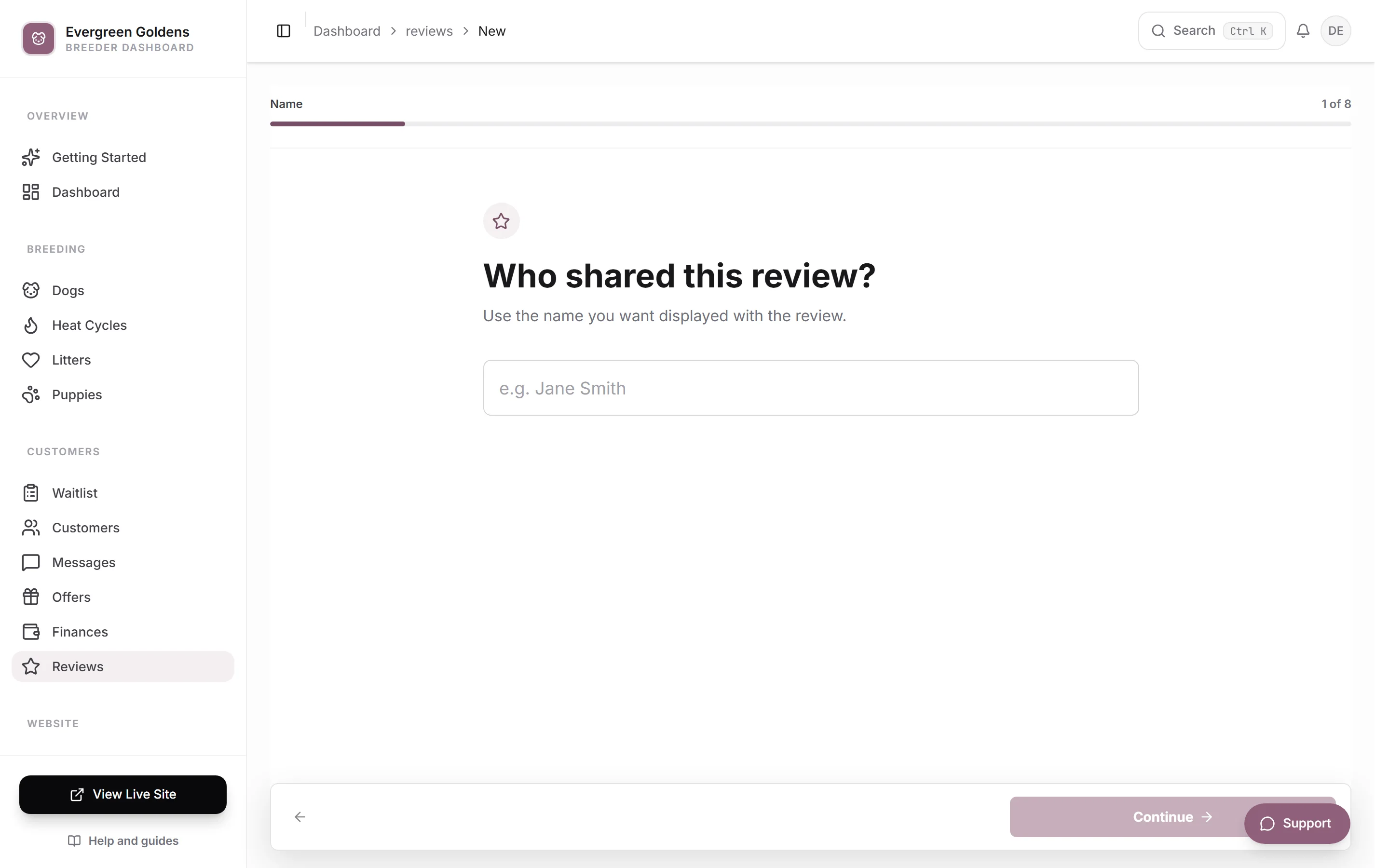
If a family sent you kind words by text or email, add the review yourself:
- Click Add Review.
- Enter the Reviewer Name and their words in the Message.
- Set the Rating and add Photos if you have them.
- Set Review Date to the date the family originally gave the review.
- Set Status to Published.
- Save.
Bring over reviews from another site
Use Add Review to enter each review and set Review Date to its original date. For a review you have already added, open it from the list, change Review Date, and click Save Changes. You do not need to delete or re-add it.
The reviews feed displays the month and year of this date. The dashboard shows the full date, and newest/oldest sorting uses it. New reviews start with today’s date, which you can change before saving.
Show reviews on your site
Published reviews appear on your reviews page automatically. To feature them elsewhere, open a page in the page builder, click Add, and pick Reviews from the Reviews & Trust category. That section is marked Auto, so it stays current as you publish more.
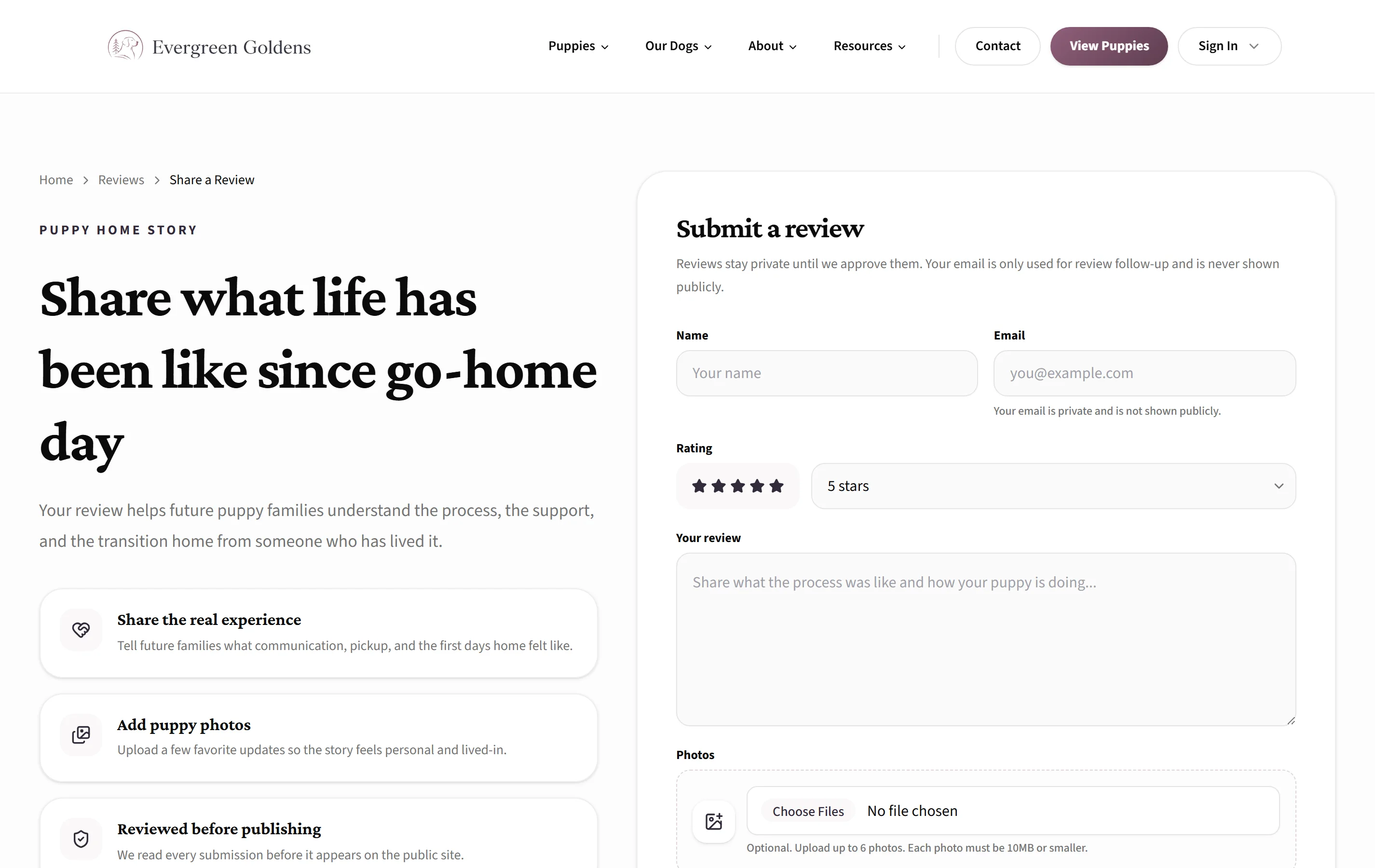
You can change how the reviews page looks: open Account, then Settings, choose the General tab and the Reviews page section, and pick Classic carousel or Social review feed.
Common questions
Does Whelpify email families asking for a review?
No. Send the link to your reviews page yourself, in a message or an email, whenever the timing feels right.
Can I edit what someone wrote?
You can, and sometimes you should fix a typo or trim a very long story. Do not change the meaning of what a family said.
What is the difference between hidden and rejected?
Both keep a review off your site. Hide is for something you may publish later. Reject is for a submission you never want, such as spam.
Can I show quotes without using this screen?
Yes. In the page builder, the Family Quotes (Manual) section holds a small set of quotes you type in yourself. Use the Reviews section instead when you want your published reviews to keep themselves up to date.
Still stuck? Email info@whelpify.com and a real person will help.