- Docs
- Waitlist and customers
- Puppy interest and inquiries
Puppy interest and inquiries
See who asked about a specific puppy, and how new puppy alerts go out five families at a time.
Updated September 2, 2026
On this page
- What this is for
- Where to find it
- What happens when someone asks about a puppy
- New puppy alerts
- See who was alerted for one puppy
- Turn alerts off for one family
- Place the puppy
- Common questions
- Why did only a few families get the alert?
- Someone said they are interested. Is the puppy held for them?
- Can I stop new puppy alerts altogether?
- Why was a family left out of the alerts?
What this is for
Two different things end up here. Families who spot a puppy on your website and ask about it, and families you alert when a puppy becomes available. Both show as interest, and interest is a raised hand, not a reservation.
Where to find it
In the left sidebar, open Customers, then Waitlist. Puppy inquiries do not get their own page; they roll up onto the family's row.
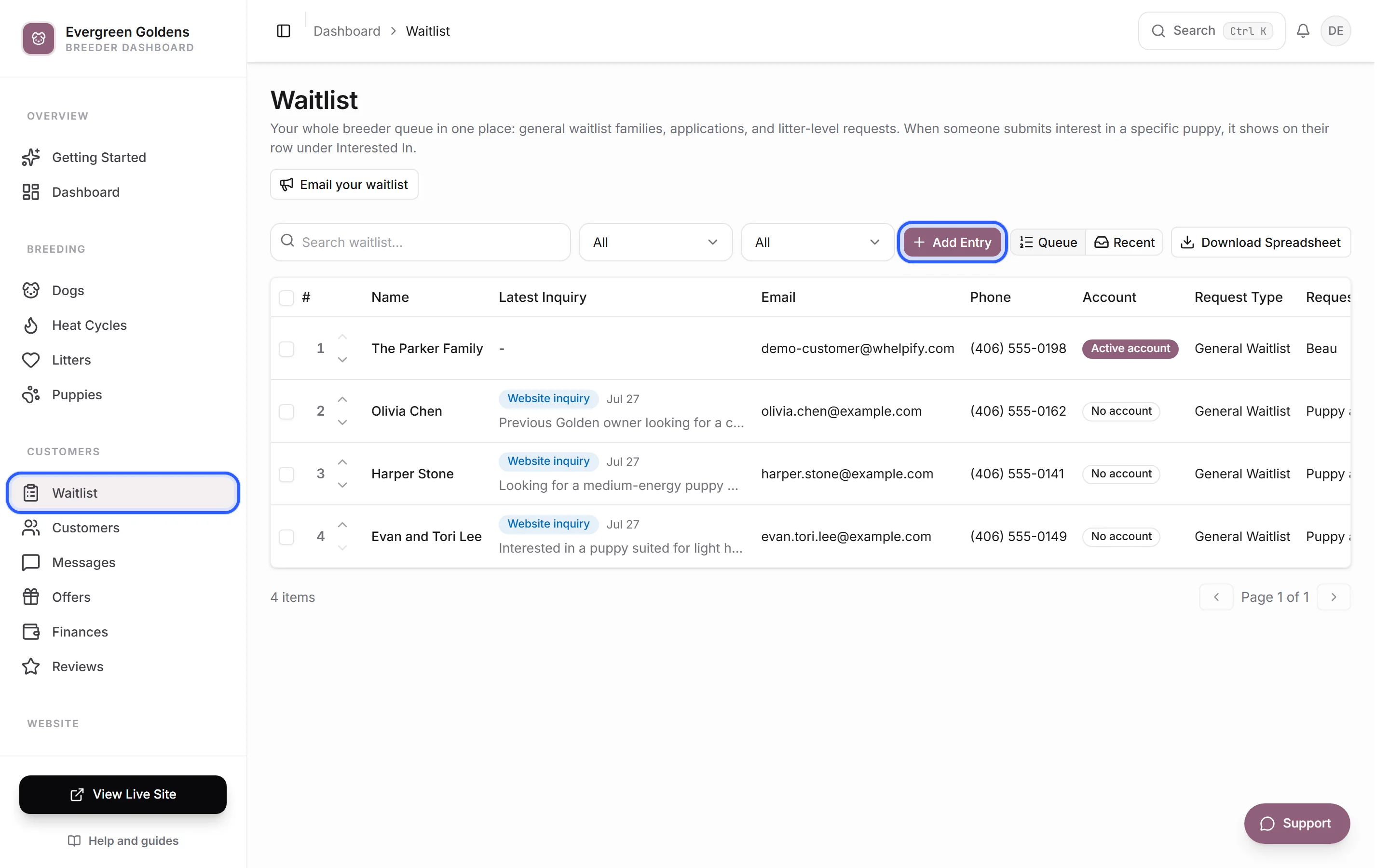
- Interested In lists every puppy that family has asked about, as small badges.
- Latest Inquiry shows a Website inquiry badge with the date and the first line of what they wrote.
- Request Type reads Puppy Interest where the request was about one puppy.
Click Recent in the top right of the toolbar to see only the families whose website inquiry arrived in the last 30 days, newest first. That toggle carries a count, so it doubles as your unhandled pile.
What happens when someone asks about a puppy
The family gets an account, the inquiry starts a thread in your inbox, and their waitlist row picks up the puppy under Interested In. Their gender and color preferences are widened to include that puppy, so future alerts match better. You get an email and a bell notification.
Open their entry to reply, record notes, or move them along. See the waitlist and applications.
New puppy alerts
When a puppy is set to Available and shown on your website, Whelpify emails the top five matching families on your waitlist. Matching means their preferences fit that puppy, and only families still in the running are counted, in queue order.
Each email has buttons to say they are interested or not interested. If nobody in that group raises a hand within 48 hours, the next five families are invited, and so on down the list until someone is interested or the list runs out.
See who was alerted for one puppy
- Open Puppies from the main dashboard menu.
- Click a puppy.
- Click Waitlist interest near the top. The count on the button is how many families raised their hand.
The panel lists every family invited, which group of five they were in, when they were invited or replied, and where they landed: Interested, Waiting for reply, Not interested, No response, or Canceled. Click a name to open their waitlist entry.
Turn alerts off for one family
- Open the family's waitlist entry.
- Open Puppy matching.
- Switch New puppy alerts off.
- Click Save changes.
They stay on your waitlist and keep everything else. They simply stop being included in alert groups.
Place the puppy
When you know who you want, open the family's row actions menu on the waitlist and choose Assign & Mark Sold. That marks the puppy sold, assigns it to that family, and emails similar-puppy suggestions to everyone else who had asked about it, so nobody is left wondering.
Common questions
Why did only a few families get the alert?
By design. Alerts go out five families at a time, from the top of your queue, and only to families whose preferences match that puppy. It keeps a popular puppy from turning into a race.
Someone said they are interested. Is the puppy held for them?
No. Interest is a signal. Send them a reservation offer to actually hold the puppy with a deadline.
Can I stop new puppy alerts altogether?
Yes. Turn the new puppy alert email off in your customer emails settings, and no alert groups start at all.
Why was a family left out of the alerts?
Usually one of four reasons: they have no email address on their entry, New puppy alerts is off for them, their preferences do not match that puppy, or their entry is closed. Puppies also have to be shown on your website before alerts start. See puppies for how statuses and visibility work.
Still stuck? Email info@whelpify.com and a real person will help.