- Docs
- Your website
- Forms: applications, questionnaires, and contracts
Forms: applications, questionnaires, and contracts
Build the puppy application on your website, plus questionnaires and signable contracts you send to individual families.
Updated September 3, 2026
On this page
- What this is for
- Where to find it
- Build a form
- Add and edit questions
- Show a question only sometimes
- Templates
- Publish and send a form
- Common questions
- Which form do people fill out on my website?
- Is the signature legally binding?
- If I edit a published form, what happens to answers already submitted?
- Can I ask for a photo of their yard or home?
What this is for
Forms are how you collect information from families in writing. One form is the application on your public website. Others are sent to a specific family later: a deeper questionnaire, a pickup planning sheet, or a purchase contract they read and sign electronically.
Where to find it
In the left sidebar, open Website, then Forms.
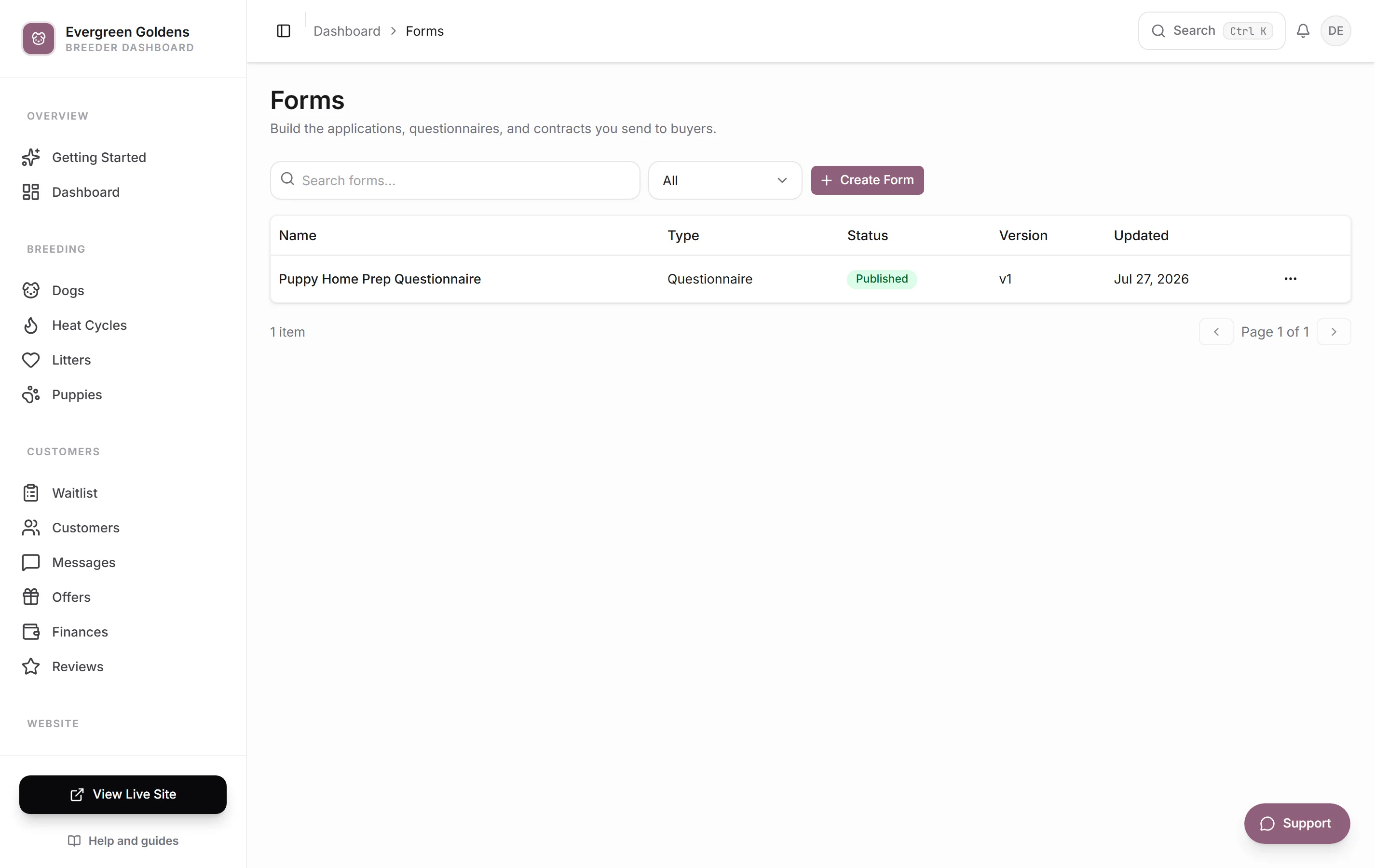
The list shows the Name, Type, status, Version, and when each form was last Updated. Your public application form carries a Default badge. Filter by Draft, Published, or Archived.
Build a form
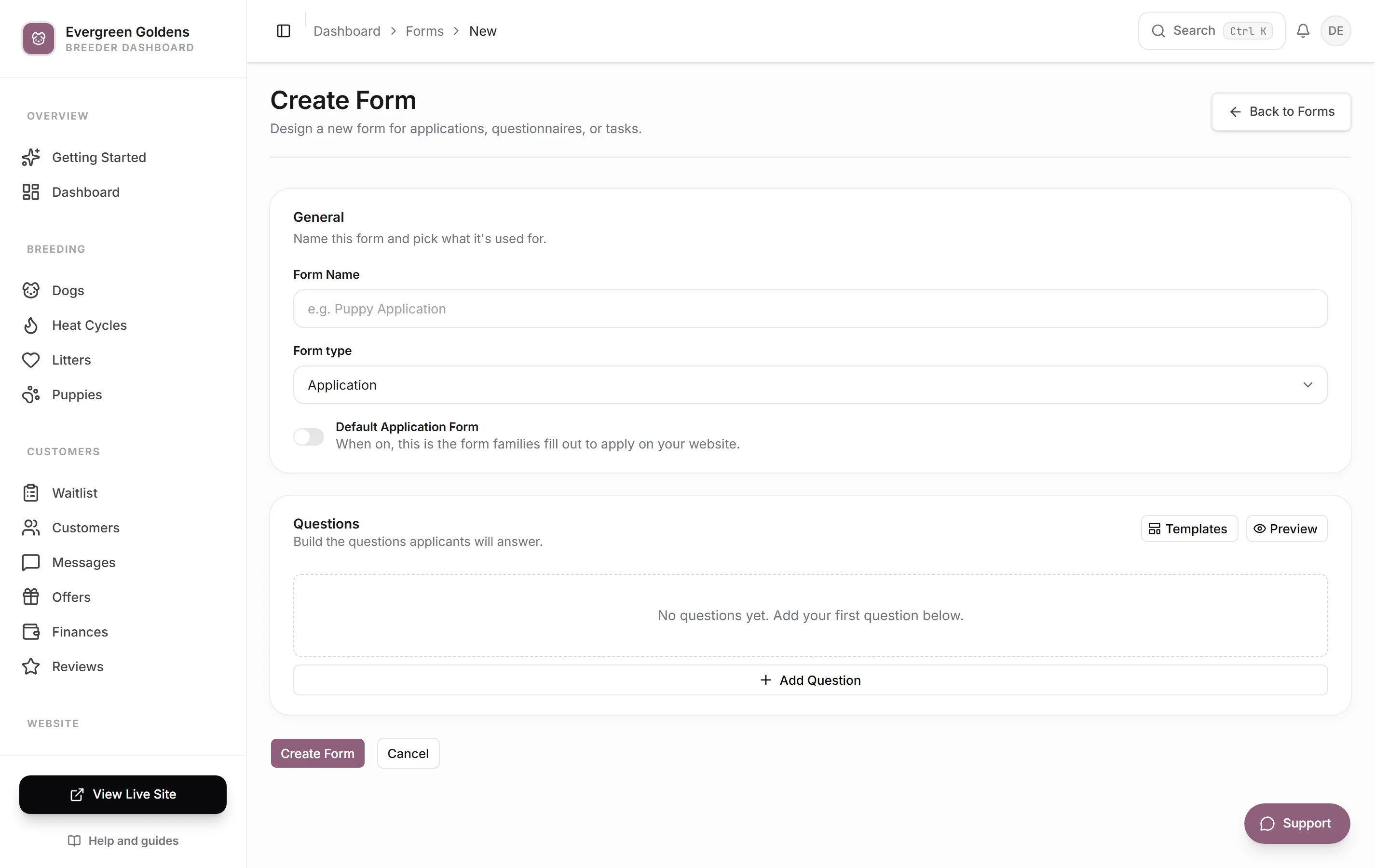
- Click Create Form.
- Type a Form Name, such as Puppy Application.
- Pick a Form type: Application, Questionnaire, Task, or Custom.
- Turn on Default Application Form if this is the form families fill out to apply on your website.
- Click Templates to start from a ready-made form, or build the questions yourself.
- Click Create Form.
Add and edit questions
Click Add Question and pick a question type:
- Short Answer, Paragraph, Email Address, Phone Number, Number, Website / URL, and Date for typed answers.
- Dropdown (pick one), Multiple Choice (pick one), Checklist (pick several), and Yes/No Checkbox for set choices.
- Photo Upload and File Upload for attachments.
- Terms / Statement for text the family reads rather than answers.
- Signature for an electronic signature.
Click the pencil icon on a question to expand it. You can edit the Question text, turn Required on, set Example text inside the box, add Help Text, and edit the Options for choice questions. The arrows on the left move a question up or down, and the trash icon removes it.
Terms / Statement works differently: instead of a question you write a Heading and the Statement text underneath, which is shown to the customer exactly as written. That is where your contract terms, health guarantee, or policy goes.
Show a question only sometimes
Expand a question and turn on Only show when…. Pick an earlier question, a comparison such as Is or Is answered, and the answer to match. Add more rules with Add Rule, then choose All of these must be true or Any one of these is true. Questions with rules show a Shows sometimes badge in the list.
Templates
Click Templates to start from a proven structure and adjust it. The set includes Purchase Contract, Puppy Application, Quick Inquiry, Buyer Questionnaire, Deposit Readiness, Pickup Planning, and Post-Placement Update.
The Purchase Contract template is the signable one: two Terms / Statement blocks holding your agreement and your health guarantee and return policy, an agreement checkbox, a Signature field, and a date. Replace the sample text with your own terms before you send it to anyone.
Publish and send a form
A new form starts as a draft. Click Publish to make it usable. Published forms can be sent to a family from their waitlist entry: open the entry, find Forms & Tasks, click Assign Form, pick the form, and set an optional title, description, and due date. The family fills it out in the customer portal, and the status here updates when they submit. Reading and deciding on what comes back is covered in reviewing, approving, and declining applications.
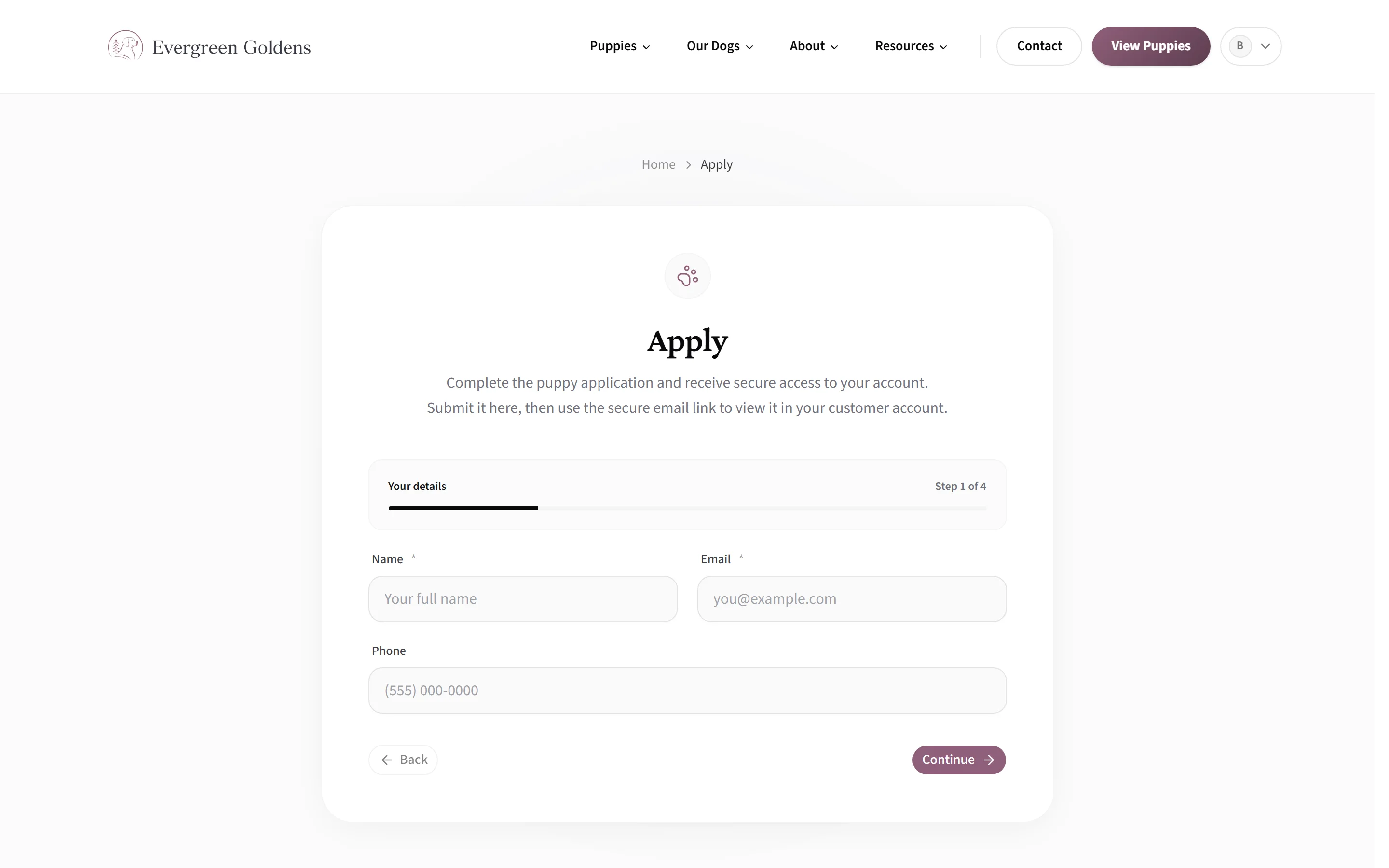
Your default application is the one families meet on your public site, inside the guided apply page.
Archive takes an old form out of circulation without deleting the answers you already collected.
Common questions
Which form do people fill out on my website?
The one with Default Application Form turned on. Only one form is the default at a time. See the waitlist and applications.
Before your questions, every family fills in the built-in basics: name, email, phone, preferred gender, and preferred colors. Those are not questions in the form editor. The color list they pick from is Colors buyers can choose in site settings, under Breed defaults.
Is the signature legally binding?
Whelpify records the signature, the agreement checkbox, and the date the family submitted. Whether that meets your needs is a question for your own attorney, and the wording of the contract is always yours to write.
If I edit a published form, what happens to answers already submitted?
Past submissions keep the questions that were asked at the time. The form's Version number goes up so you can tell them apart.
Can I ask for a photo of their yard or home?
Yes. Add a Photo Upload question. Use File Upload for documents such as a landlord approval letter.
Still stuck? Email info@whelpify.com and a real person will help.