- Docs
- Account and settings
- Request Features and Follow the Roadmap
Request Features and Follow the Roadmap
Share ideas privately, support existing requests, and see what is planned, in progress, or shipped.
Updated September 14, 2026
On this page
Share an Idea
Open Feature Requests in your dashboard and choose Request a Feature. Give it a short title and explain what you are trying to do. One idea per request helps us review it. Leave out customer details, passwords, and other private information.
As you type a title, we suggest similar approved ideas. If one covers your request, open it and add your vote. You can still submit a different idea. Your draft is saved in this browser; use the draft notice to restore it if you leave before sending.
Review Comes Before Publication
Choose Send for Review. Your submission stays private to you and Whelpify administrators. It does not immediately appear on the marketing site.
In My Requests, you can see whether it is awaiting review, approved, linked to an existing idea, or not planned. A reviewer may publish a clearer version of your idea or leave you a private explanation. When a request is approved or linked, your account contributes one vote to the public idea, even if you submitted more than one related request.
Vote and Follow Progress
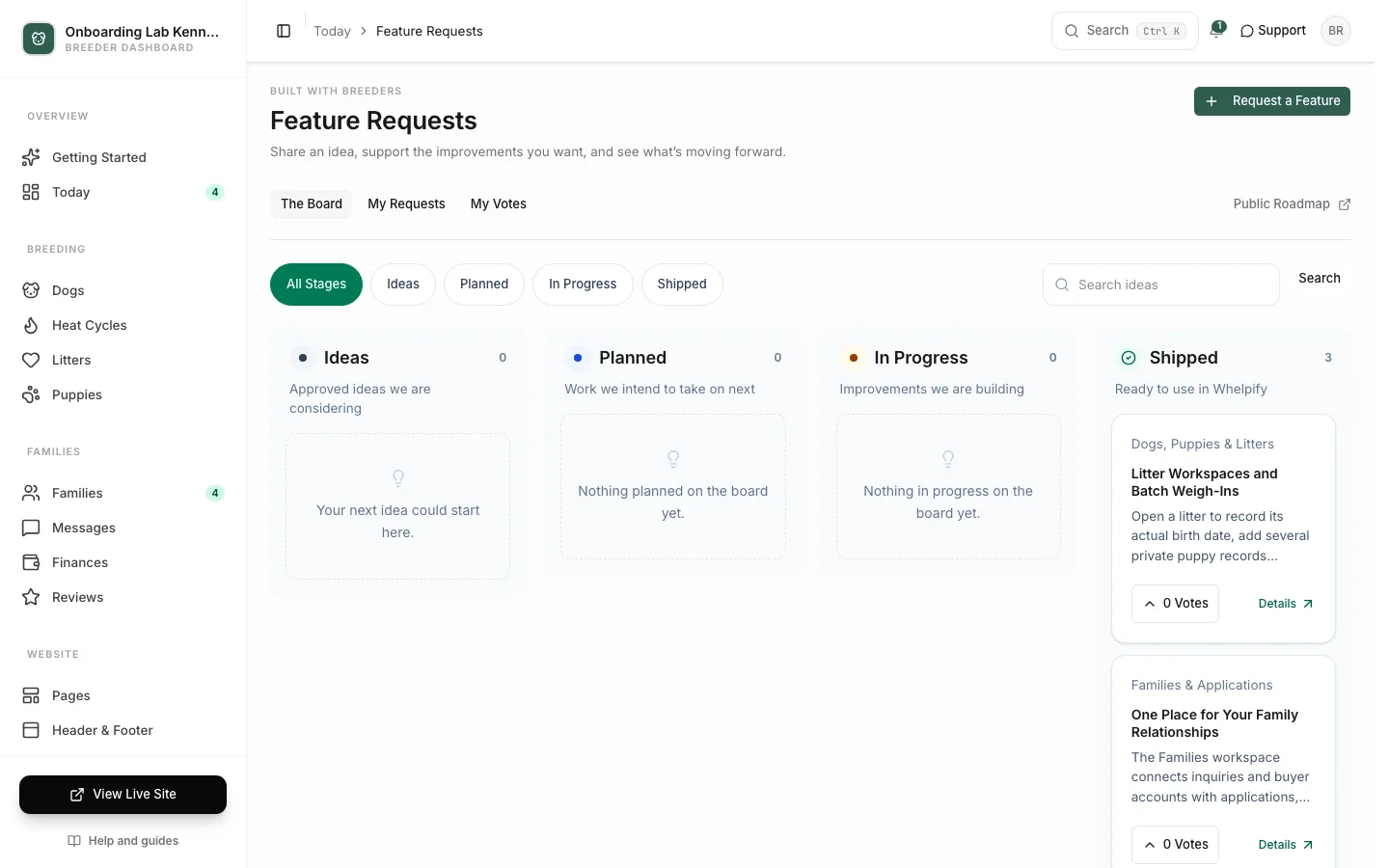
Use The Board to browse Ideas, Planned, In Progress, and Shipped. Add or remove your vote with the vote button. My Votes keeps the ideas you support together. Open an idea to read its public progress notes.
On a phone, tap a stage to focus on that part of the board. Search works across approved titles and descriptions. Guests can read the public roadmap; voting and submitting require a breeder account.
Votes help us understand demand. They do not guarantee a delivery date. Decisions and progress are shown on the board; automatic update emails are not currently sent.
Get Help With a Current Problem
If something is broken or you need account help, use Help & Support in your dashboard. Feature requests are for improvements, and are not a replacement for a support conversation.
Still stuck? Email info@whelpify.com and a real person will help.