







Payments5 of 7
Standalone Invoices
Need to charge for something that isn't a puppy, like a flight nanny, a starter kit, or a stud fee? Pick the customer, type the amount, and send a proper invoice.
- Included in every plan
- 30-day trial for new customers
- No add-ons to buy
Try it. Change the amount and watch the email.
- No Puppy NeededPick anyone with an account on your site. The invoice does not need an offer or a puppy behind it.
- An Amount and a ReasonType what you are charging and what it is for. Your words become the subject of the email.
- Card or OfflineSend it as a Stripe checkout, or as an offline invoice that lists your Zelle or Venmo details.
- What They ReceiveAn email from your kennel with the amount and one button. The request also waits in their account on your website.
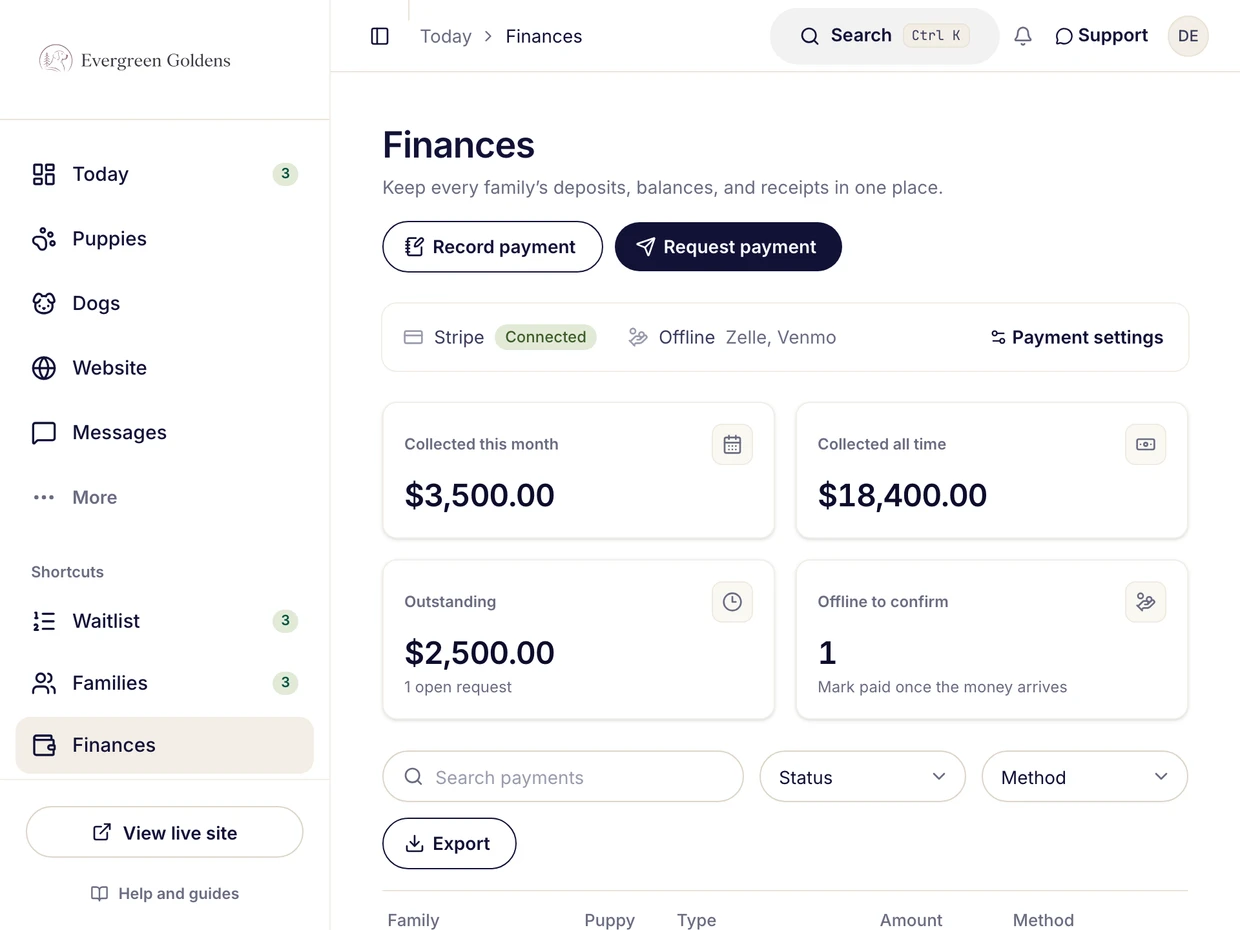
- Tracked Like the RestThe invoice sits in Finances beside deposits and balances until it is paid.
A card invoice marks itself Paid when the customer pays. An offline invoice waits for you to confirm the money arrived.

Why breeders use it
Bill for Anything, Not Just Puppies
Shipping, supplies, training, stud fees. Send an invoice to any customer for any amount, by card or your offline methods.
No Offer Required
An invoice needs a customer, an amount, and a reason. Paying it never reserves or sells a puppy.
One Set of Books
Extras are counted in Finances with your deposits and balances, so your totals show everything you were paid.
A Proper Request, Not a Text
The customer gets an email from your kennel and sees the invoice in their account, with a clear amount and a way to pay.
Three simple steps
How It Works
Pick the Customer
Choose anyone with an account on your site.
Describe and Send
Enter the amount, what it's for, and how to collect it.
Track to Paid
It appears with all your other payments until it's settled.
Included in every plan
What You Can Do With It
Standalone Invoices is part of every Whelpify plan. There is no add-on to buy.

- Invoice any family with an account on your site, for any amount
- Describe what the charge is for in plain words
- Collect by card or your offline payment methods
- Email the customer the amount and a button to pay
- Show the invoice in the customer's account on your website
- Track invoices beside deposits and balances in Finances
Good to know
Questions Breeders Ask
Something we did not cover?Write to us. A person replies within one business day.
Contact UsAnything outside the puppy price: delivery or flight-nanny costs, starter kits, co-own agreements, training sessions, or stud fees.
An email from your kennel with the amount and what it is for, plus the request in their account on your website. There they pay by card, or see your Zelle, Venmo or other payment details.
No. A standalone invoice is not attached to an offer, so paying it never reserves or sells a puppy.
Better together