








Operations7 of 9
Smart Notifications
When something needs you (a new application, a paid deposit, a payment that failed), a notification is waiting on your dashboard bell, and it opens the exact record.
- Included in every plan
- 30-day trial for new customers
- No add-ons to buy
Try it. Make something happen on the left and watch the bell.
- The Things Worth KnowingNew applications and inquiries, deposits and balances paid, failed card payments, offers accepted, declined or about to expire, new messages and new reviews.
- A Count on the BellThe bell sits at the top of every dashboard screen and shows how many alerts you have not opened yet.
- Who and What, in a LineEach alert names the family, the puppy and the amount, so you often know what to do before you open it.
- Straight to the RecordOpen an alert and you land on that application, offer, payment or conversation. Opening it marks it read.
- Clear the ListRead All empties the count in one press. The full Notifications page lets you delete alerts you no longer need.
Applications, messages, reservations and reviews can also reach you by email, and each of those has its own switch on the Emails screen.

Why breeders use it
See What Needs You at a Glance
New applications, paid deposits, failed payments and expiring offers each raise an alert on your dashboard bell that opens the record it is about.
The Events That Matter
Applications, payments, offers, messages and reviews each raise an alert. You do not have to check every screen to find out what changed.
Straight to the Right Record
Every alert opens the application, offer, payment or conversation it is about, so you act on it instead of searching for it.
Problems Are Not Hidden
A failed card payment shows up with its reason, and an account invite that could not be sent is flagged too.
Three simple steps
How It Works
Something Happens
A family applies, pays, or lets an offer lapse.
The Bell Counts It
A notification is added to the bell at the top of your dashboard.
Open the Record
Each notification opens the application, offer or payment it is about.
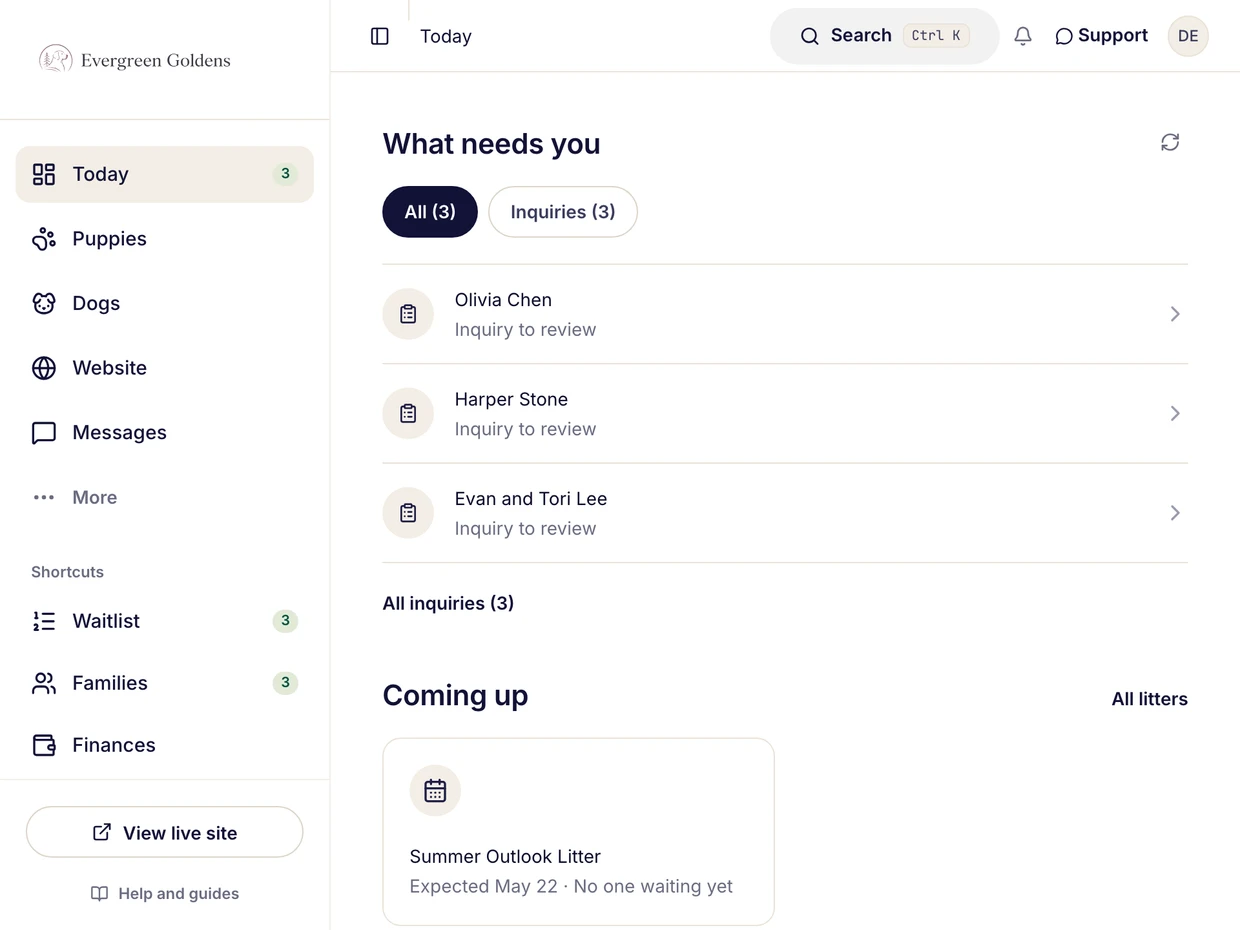
Included in every plan
What You Can Do With It
- See new applications, inquiries and waitlist signups
- Know when a deposit, balance or full payment is paid
- Catch a failed card payment, with the reason it failed
- Spot offers that were accepted, declined, or are about to expire
- Open the record an alert is about with one click
- Mark alerts read one at a time or all at once
- Get applications, messages, reservations and reviews by email too
Good to know
Questions Breeders Ask
Something we did not cover?Write to us. A person replies within one business day.
Contact UsYes. A failed card payment raises an alert on your dashboard with the reason. The buyer is also emailed a link to try again, unless you have switched that email off.
New applications, messages and inquiries, direct reservations and new reviews also come to you by email, and each of those has its own switch on the Emails screen. Payments and offer updates appear on the bell.
Yes. Opening an alert marks it read, and Read All clears the count in one press. On the Notifications page you can also delete single alerts or clear the whole list.
Better together